

What Is UiChemy for EmDash?
UiChemy for EmDash brings the Composer editor to EmDash CMS sites. Build pages visually or in code, publish them, and place them on any page or post.
UiChemy for EmDash is the UiChemy Composer editor as a plugin for EmDash, the CMS that runs on Astro. You design a page in the same editor you know from WordPress, publish it, and it shows on your EmDash site. The people who run the site can still edit titles, SEO and posts in EmDash.
Pre-release. UiChemy for EmDash is at version 0.2.0. It comes ready to use on sites you publish from AI Website Creator as HTML + EmDash. The standalone package (@uichemy/emdash) is not published to npm or the EmDash plugin registry yet, so the manual install steps will change.
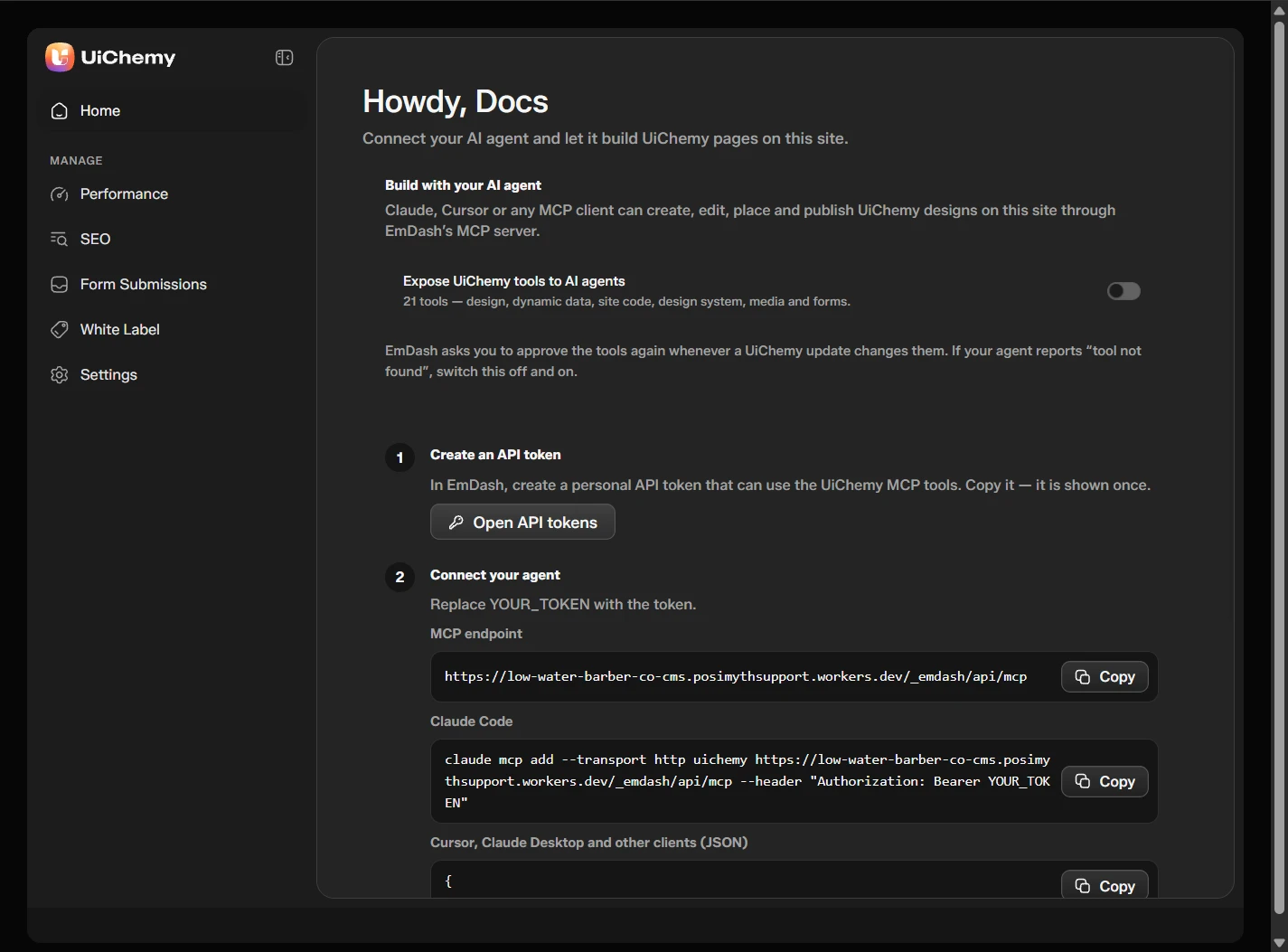
The UiChemy dashboard inside the EmDash admin
At a Glance
| Item | Details |
|---|---|
| Where you find it | UiChemy under Plugins in the EmDash admin sidebar |
| What you build | Designs: pages made of HTML, CSS and JavaScript |
| How a design shows on the site | It is published, then placed in a page or post |
| Fastest way to try it | Publish an AI Website Creator site as HTML + EmDash. The UiChemy plugin comes with the site |
| Version | 0.2.0 |
Quick Start
- Get a site. Publish from AI Website Creator as HTML + EmDash, or add the plugin to your own EmDash project.
- Create a design. In the EmDash admin, open Pages, click Add New, type a title, then click Edit with UiChemy.
- Build it. Add sections from the Add section panel, and edit them on the page.
- Publish it. Click Publish in the top bar of the editor.
- Open the page. Your design is live at the page's address.
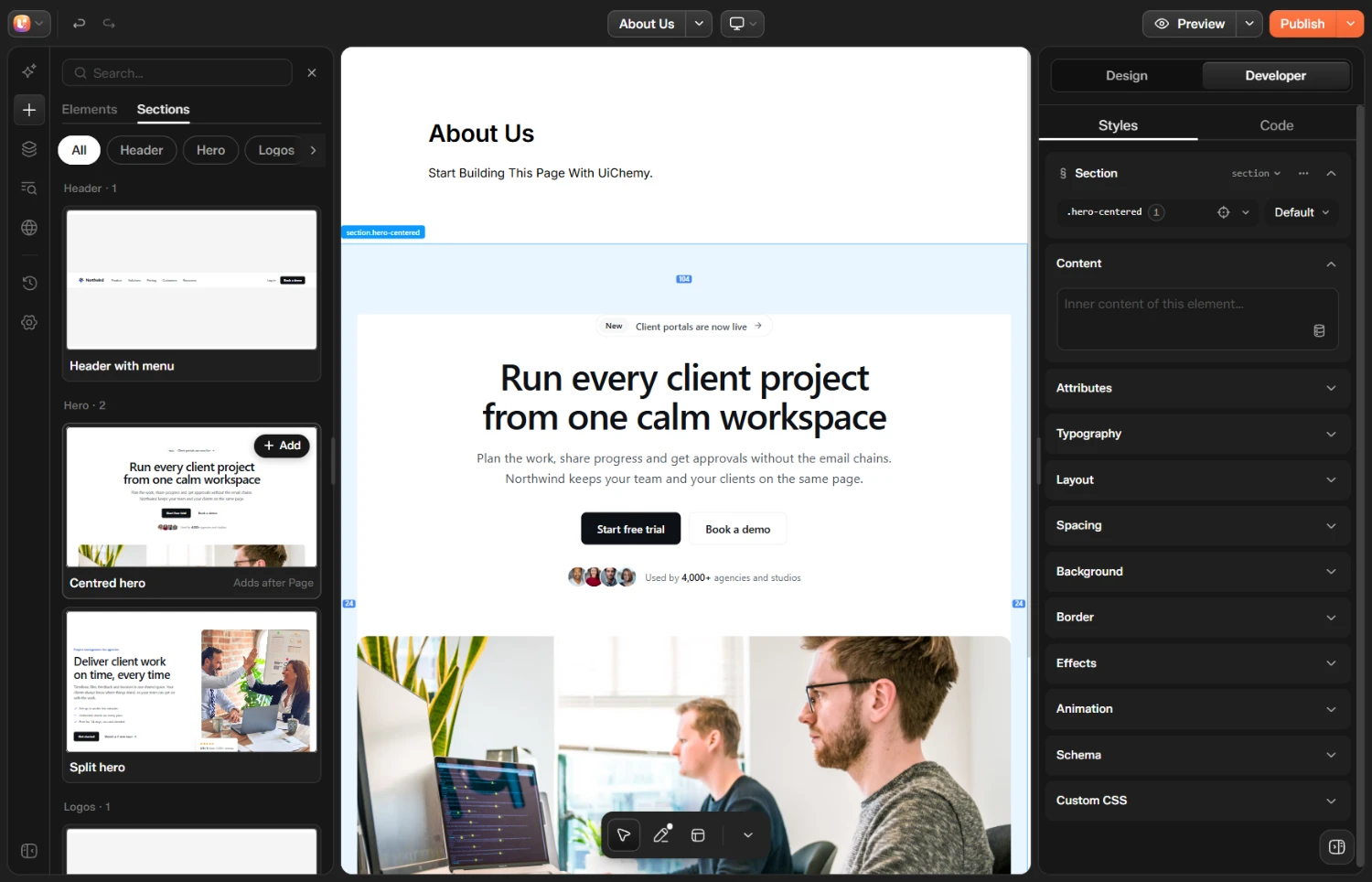
A new design in the UiChemy editor, with a Centred hero section added
See Designs and the UiChemy Design Block for every step, and A Tour of the EmDash Editor for what each button does.
Where to Find Things
| You want to | Go to |
|---|---|
| Build or edit a design | Pages, then the UiChemy icon in the Actions column, or Edit with UiChemy inside a page |
| Show a design on a page | Type / in the page content and choose UiChemy Design |
| Set up an AI assistant | UiChemy, then Home |
| Check SEO for the whole site | UiChemy, then SEO |
| Read form entries | UiChemy, then Form Submissions |
| Add your own fonts | UiChemy, then Performance |
| Rename UiChemy for clients | UiChemy, then White Label |
| Turn custom code on or off | UiChemy, then Settings |
A Design Is One Document
A design is one document: html, css, js, head code and body-end code. There are no sections to manage in EmDash. CSS is scoped to the design, so its styles never leak into the rest of the site. The sections you add in the editor are just parts of the HTML.
Free and Pro
| Free | Pro |
|---|---|
| The editor, designs, sections, the UiChemy Design block | AI chat in the editor |
| Custom CSS and JavaScript | Draw on canvas |
| SEO, forms, fonts, MCP for AI assistants | The rest of the dynamic data tokens |
Install @uichemy/emdash-pro next to the Free plugin to unlock Pro. Without it, Pro features show with a PRO tag or an Upgrade button.
How It Relates to the WordPress Plugin
The EmDash plugin uses the same renderer and the same editor as UiChemy Composer on WordPress, so a design looks the same on both and WordPress exports (.json) import as they are.
Publishing an AI Website Creator site to EmDash? See Astro + EmDash CMS.