

AI and MCP on EmDash
Connect Claude, Cursor or another MCP client to your EmDash site so an AI can create designs, place and publish them, edit their code, and set SEO.
UiChemy for EmDash includes MCP tools, so an AI assistant connected to your site can build and edit designs for you. The setup is on UiChemy, then Home.
Pre-release. UiChemy for EmDash is at version 0.2.0. It comes ready to use on sites you publish from AI Website Creator as HTML + EmDash. The standalone package (@uichemy/emdash) is not published to npm or the EmDash plugin registry yet, so the manual install steps will change.
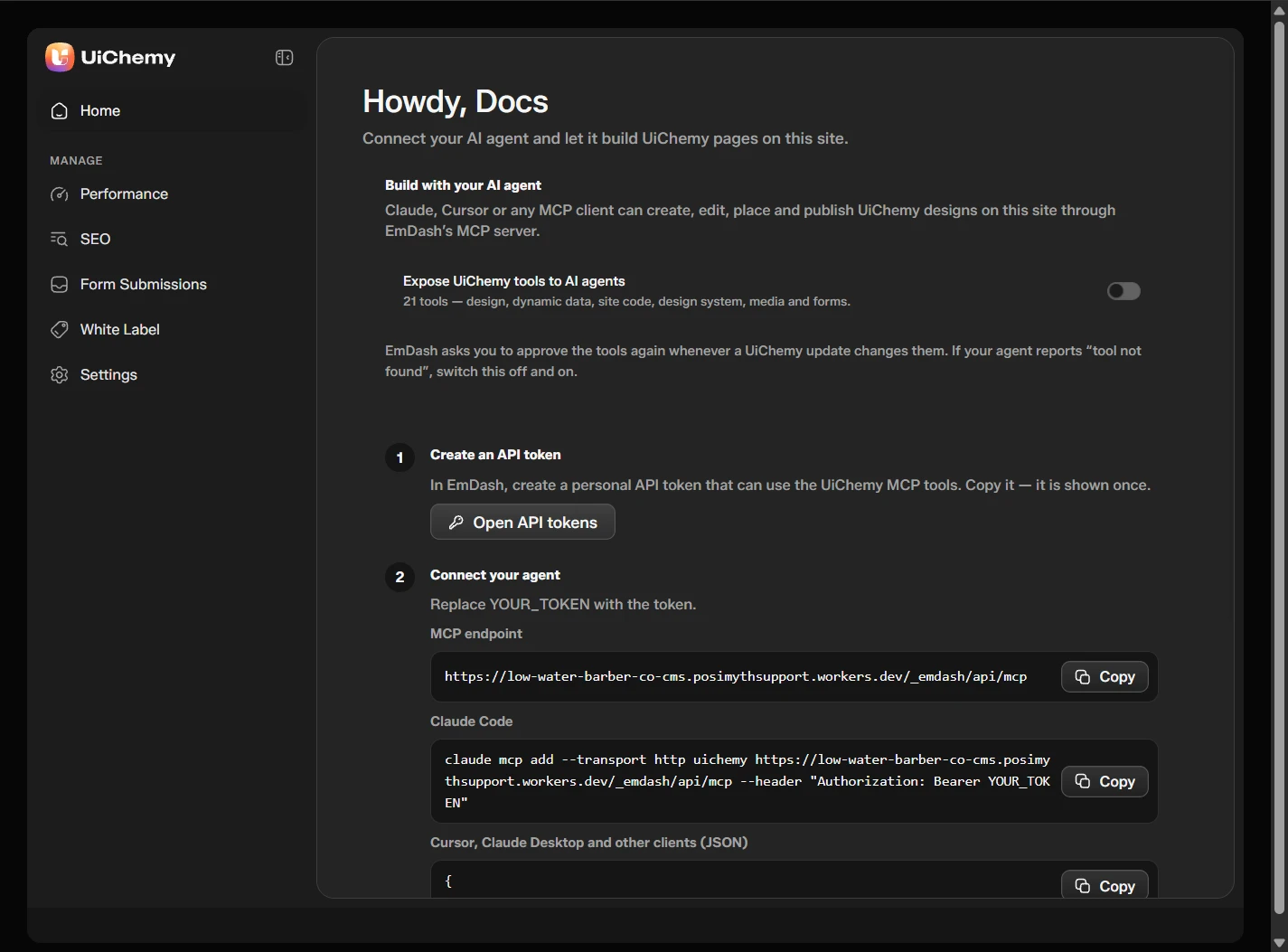
The Home screen with the MCP setup
Set It Up
Turn on the tools
Switch on Expose UiChemy tools to AI agents. It makes 21 tools available: design, dynamic data, site code, design system, media and forms.
Create an API token
Click Open API tokens. In EmDash, create a personal API token that can use the UiChemy MCP tools. Copy it, because it is shown once.
Connect your agent
Replace YOUR_TOKEN with your token. The screen gives you the MCP endpoint, a ready command for Claude Code, and a JSON block for Cursor, Claude Desktop and other clients.
EmDash asks you to approve the tools again whenever a UiChemy update changes them. If your agent says "tool not found", switch the setting off and on.
What the AI Can Do
The tool names start with uichemy__. These are the main ones:
| Tool | What it does |
|---|---|
describe_site | Lists your collections, fields, taxonomies, designs, and what the site allows |
dynamic_list_fields | Lists every dynamic token this site resolves |
design_create | Creates a design from its full code, as a draft first |
design_place | Places a design in a page or post |
design_update | Changes a design's status, for example to published |
design_get_code, design_patch_code, design_set_code | Reads, finds and replaces, or rewrites a design's code |
media_upload | Uploads one file to the media library and returns its URL |
seo_get, seo_update | Reads and writes a page's SEO |
The plugin also gives the AI a short briefing that teaches the build order.
The Build Order
- Describe the site, and list the dynamic fields before using any.
- Create the design in one call, as a draft.
- Place it in a page or post, then publish it.
- To change it later, read its code first. The read returns a hash. The edit sends that hash back, and a stale hash is refused, so the AI never overwrites a change you made in the editor.
Good to Know
- Names must be exact. An unknown collection, field or term renders empty, not as an error.
- Public HTTPS images and videos in the code are copied into the media library.
- If Allow custom CSS & JavaScript is off, CSS and JavaScript are removed on save, and the response lists what was removed.
- Free sites resolve only the free tokens. See Designs and the UiChemy Design Block.