

A Tour of the EmDash Editor
Every part of the UiChemy editor in EmDash: the top bar, the left rail, the page, the right panel and the code panel.
The editor opens full screen when you click Edit with UiChemy. It has the same layout as the UiChemy editor on WordPress.
Pre-release. UiChemy for EmDash is at version 0.2.0. It comes ready to use on sites you publish from AI Website Creator as HTML + EmDash. The standalone package (@uichemy/emdash) is not published to npm or the EmDash plugin registry yet, so the manual install steps will change.
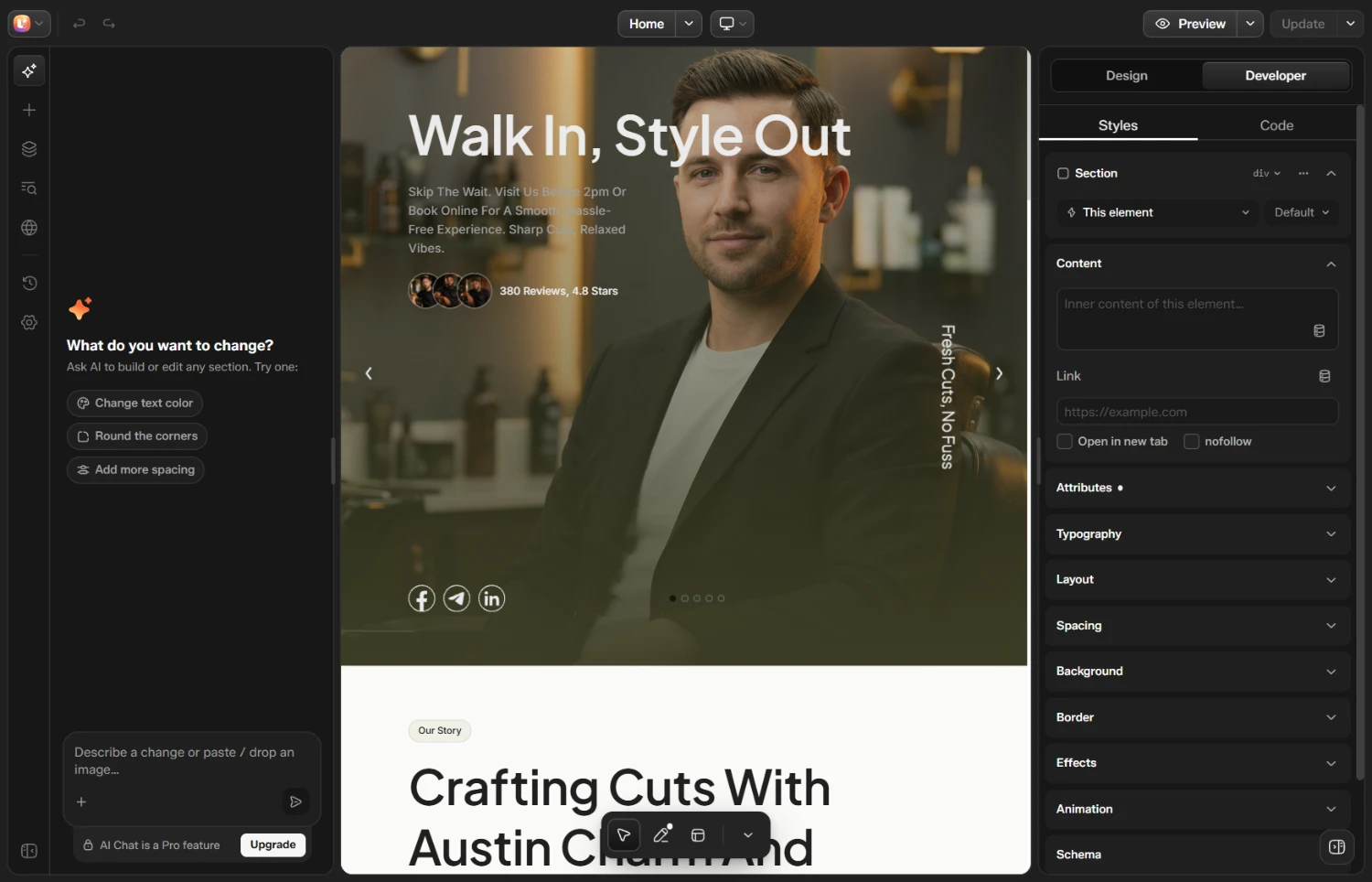
The UiChemy editor in EmDash
The Top Bar
| Control | What it does |
|---|---|
| Builder menu (UiChemy logo) | Back to pages, UiChemy dashboard, EmDash dashboard, Keyboard shortcuts and Appearance |
| Undo and Redo | Step back and forward |
| Page name and Page menu | The design you are editing |
| Breakpoint | Switch the page between Desktop, Tablet and Mobile |
| Preview | Preview the design. The arrow has Reload preview and Copy link |
| Publish or Update | Publish takes a draft live. On a live design it reads Update. The arrow has Save now and Switch to draft |
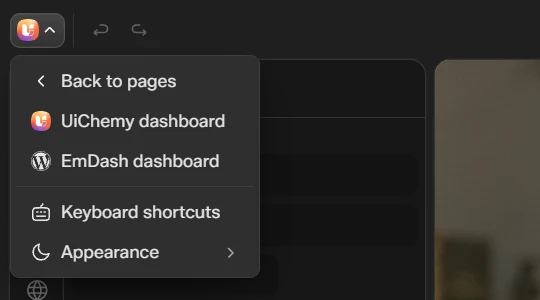
The builder menu
The Left Rail
| Icon | What it is for |
|---|---|
| AI chat | Ask an AI to build or change the design. Needs Pro |
| Add section | Sections and elements to add |
| Layers | The page structure as a tree |
| SEO | Search details for this page |
| Site styles | Colors, dimensions and typography shared by the whole site |
| History | Your changes, with undo and redo |
| Settings | Page settings, such as the Excerpt |
Unlike the WordPress editor, the EmDash editor has no CMS or Theme Builder icons. EmDash manages posts and templates itself.
The SEO Panel
The SEO panel shows how the page may look in Google, with fields for Title and Description, a Show in search switch, and groups for Social sharing, Type and URL, Schema, Redirect and Advanced. At the top it counts the things to improve on the page.
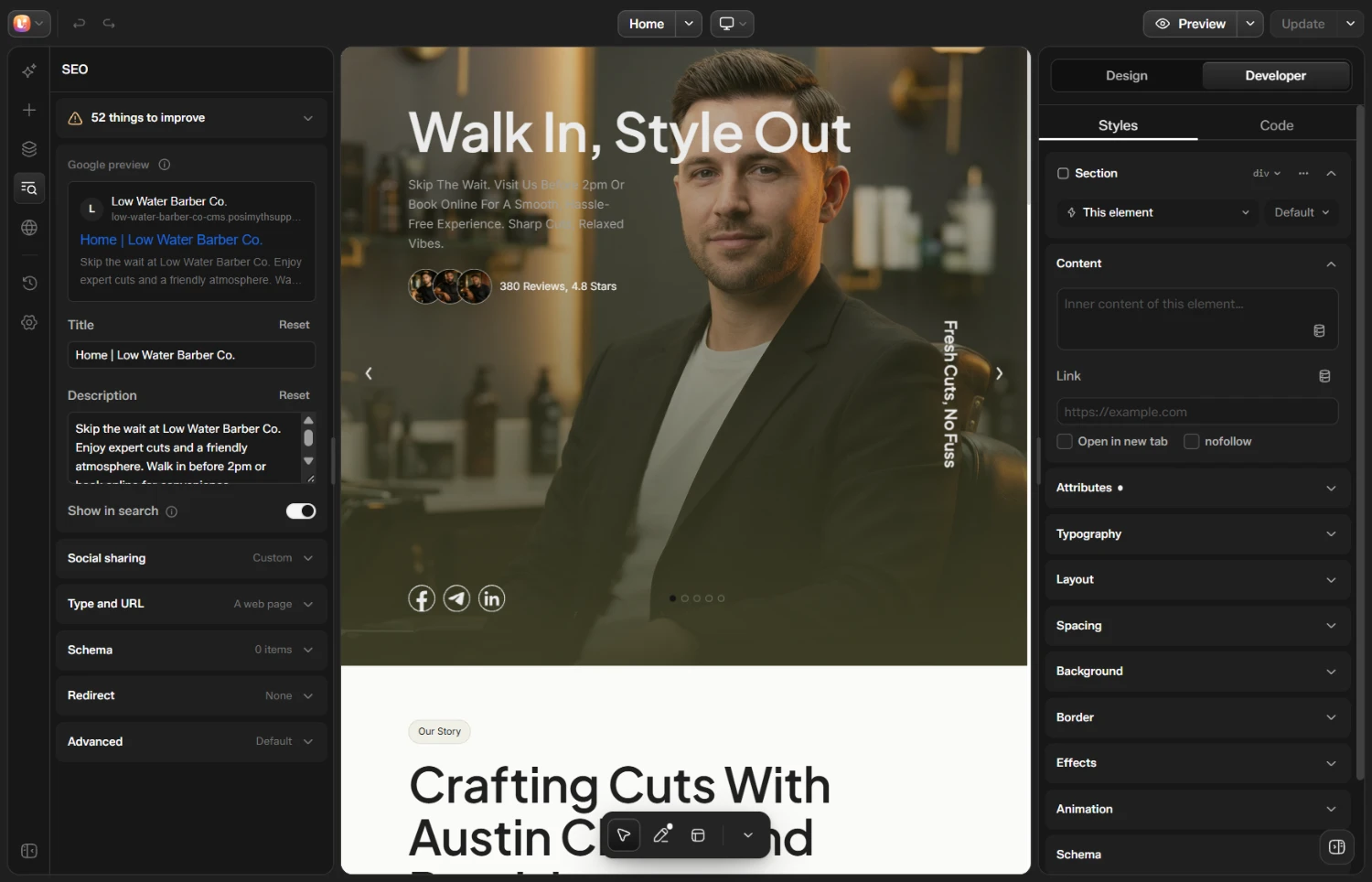
The SEO panel
The Right Panel
Click a part of the page to open the right panel. If it is hidden, click Show right panel.
- Design is the simple view: Assets, Text, Background and Entrance.
- Developer has Styles (typography, layout, spacing, border and more) and Code.
The Code Panel
In Developer, the Code tab shows the code of the design. Choose Page, Page extra or Site, then HTML, CSS or JS.
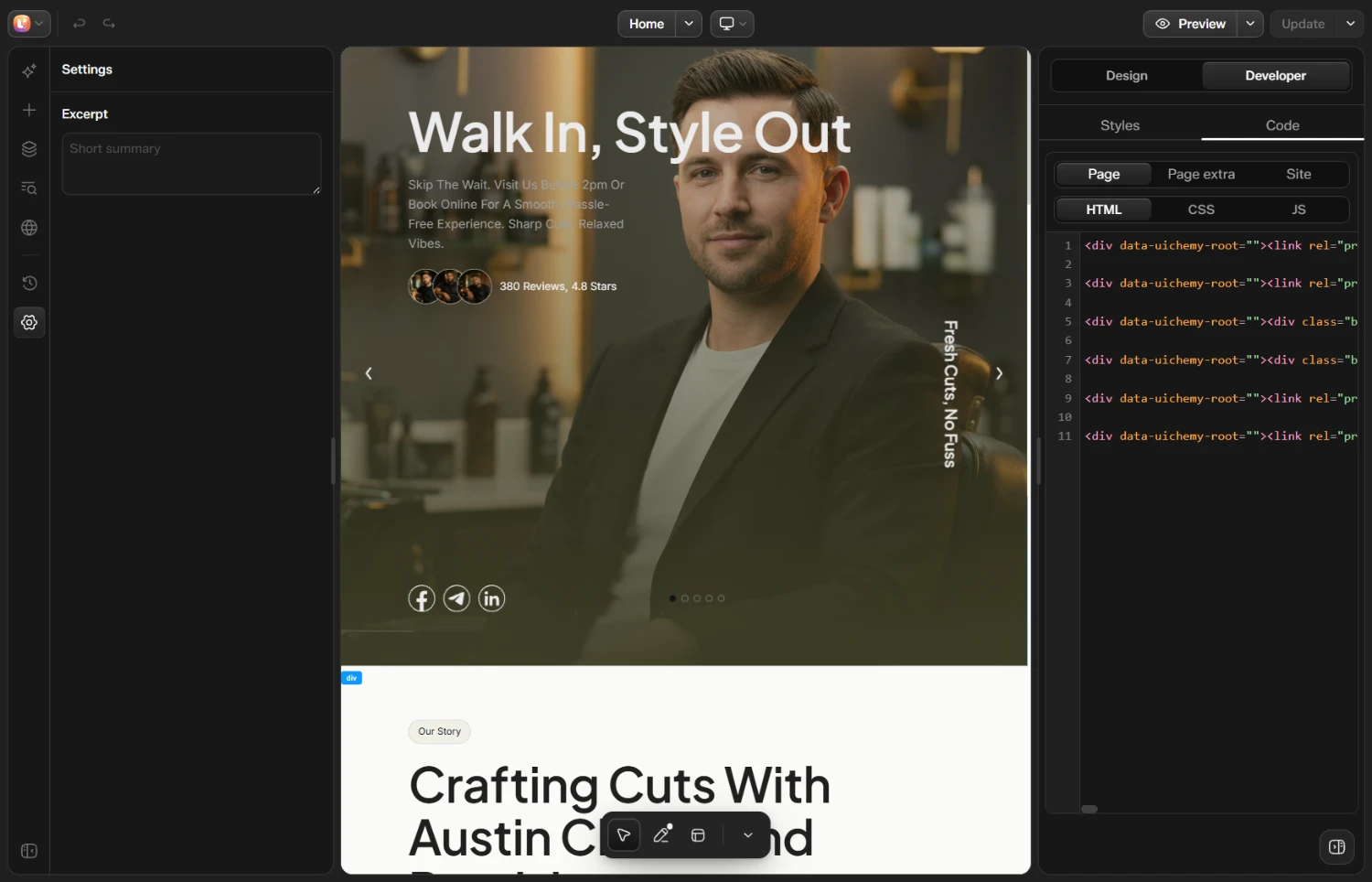
The Code tab showing the HTML of a design
Custom CSS and JavaScript work on the free plan. You can turn them off for the whole site in the UiChemy Settings. See Dashboard, SEO, Forms and Settings.