

Site Styles, SEO and CMS
Set site-wide colors, dimensions and typography, search details for each page, and manage posts built with UiChemy, all from the UiChemy Composer Page Builder sidebar.
Three sidebar panels cover the settings that go beyond one section: Site styles, SEO and CMS.
Site Styles
Click Site styles in the sidebar to open Globals. It holds the values your whole site shares, so you change them once and every page follows.
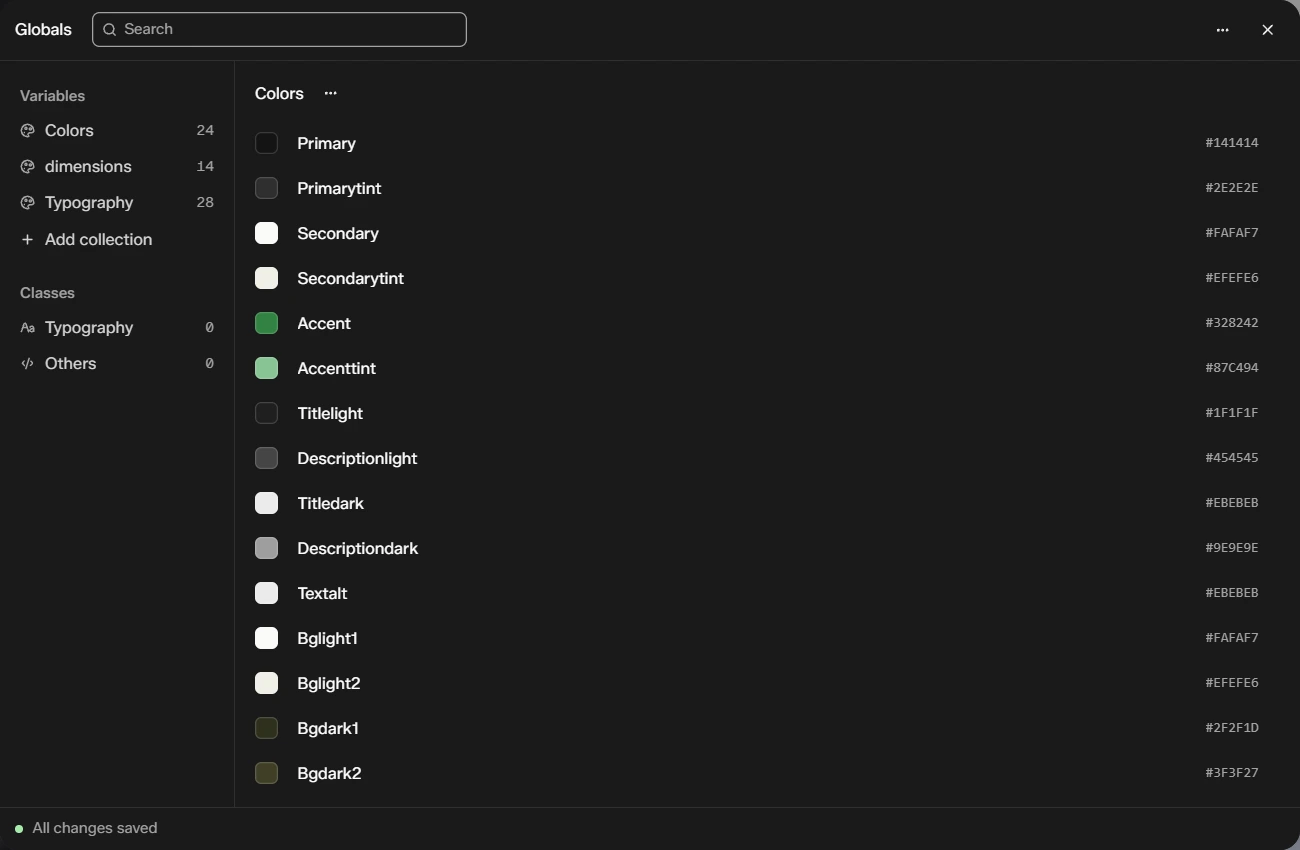
| Part | What it holds |
|---|---|
| Variables → Colors | Your color palette, such as Primary, Secondary and Accent |
| Variables → dimensions | Shared sizes |
| Variables → Typography | Shared font settings |
| Add collection | Make your own group of variables |
| Classes | Shared Typography and Others classes |
Use the search box at the top to find a variable. The More menu has import, export and sync. The window shows All changes saved at the bottom, and Esc closes it.
For how Composer variables work in general, see Global Style.
SEO
Click SEO to set how this page appears in search. It shows for pages and posts.
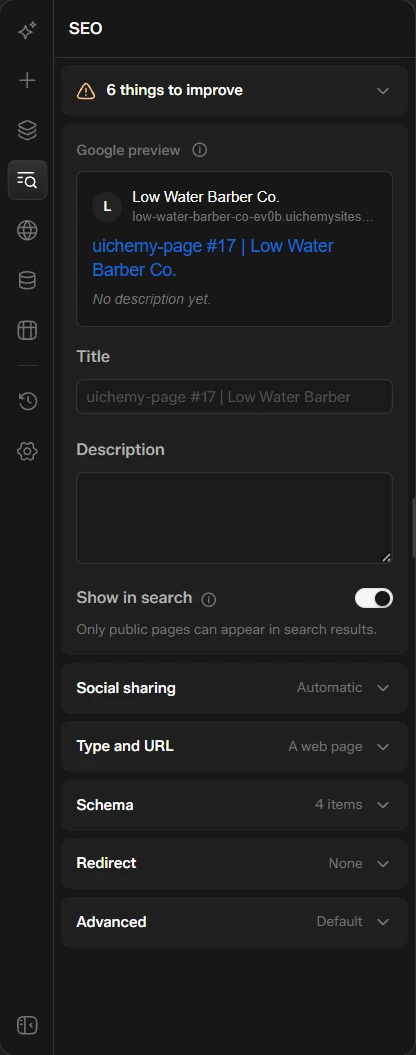
- Things to improve: a short list of problems found on the page, most important first.
- Google preview: how your page may look in search results.
- Title and Description: type your own, or leave them to fill in automatically from the page. The Title counter shows its length against 60 characters.
- Show in search: turn it off to keep the page out of search results. Only public pages can appear.
- Social sharing, Type and URL, Schema, Redirect and Advanced: open each group to fine-tune the page.
CMS
Click CMS to manage posts built with UiChemy.
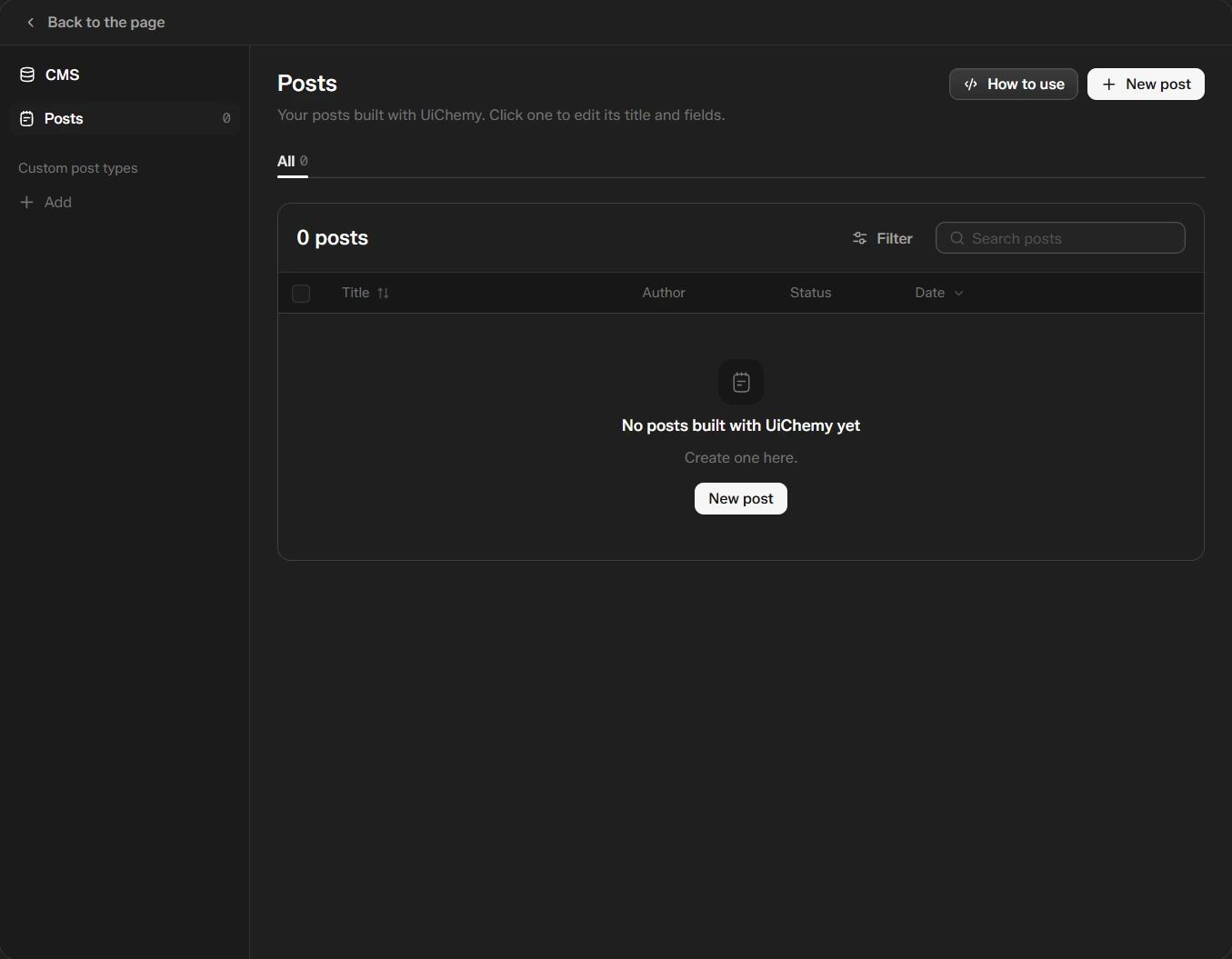
- Posts lists the posts you built with UiChemy, with their author, status and date. You can filter and search them. Click one to edit its title and fields.
- New post creates a post.
- Custom post types: click Add to add your own.
- How to use explains the panel.
A new site starts with no posts, and the panel says "No posts built with UiChemy yet."
History and Revisions
Click History to see what you changed and go back.
- Actions lists each change, such as "Add FAQ accordion", with Undo and Redo at the top.
- Revisions lists saved versions of the page.