

Setting User Permissions
Configure access levels, and the feature and editing mode toggles for Custom roles, for each WordPress user role in UiChemy's Role Manager.
Configuring a role means setting its access level in the Role Manager (No Access, Content Only, Custom, or Full Access), and, for Custom roles, choosing which specific features and editing modes are available to users with that role. Changes take effect immediately, no cache flush needed.
Opening the Role Manager
Go to UiChemy → Role Manager. You'll see a list of every WordPress user role on your site. Each role shows its current status and slug directly under the role name (for example Content Only · author), with the access buttons on the right.
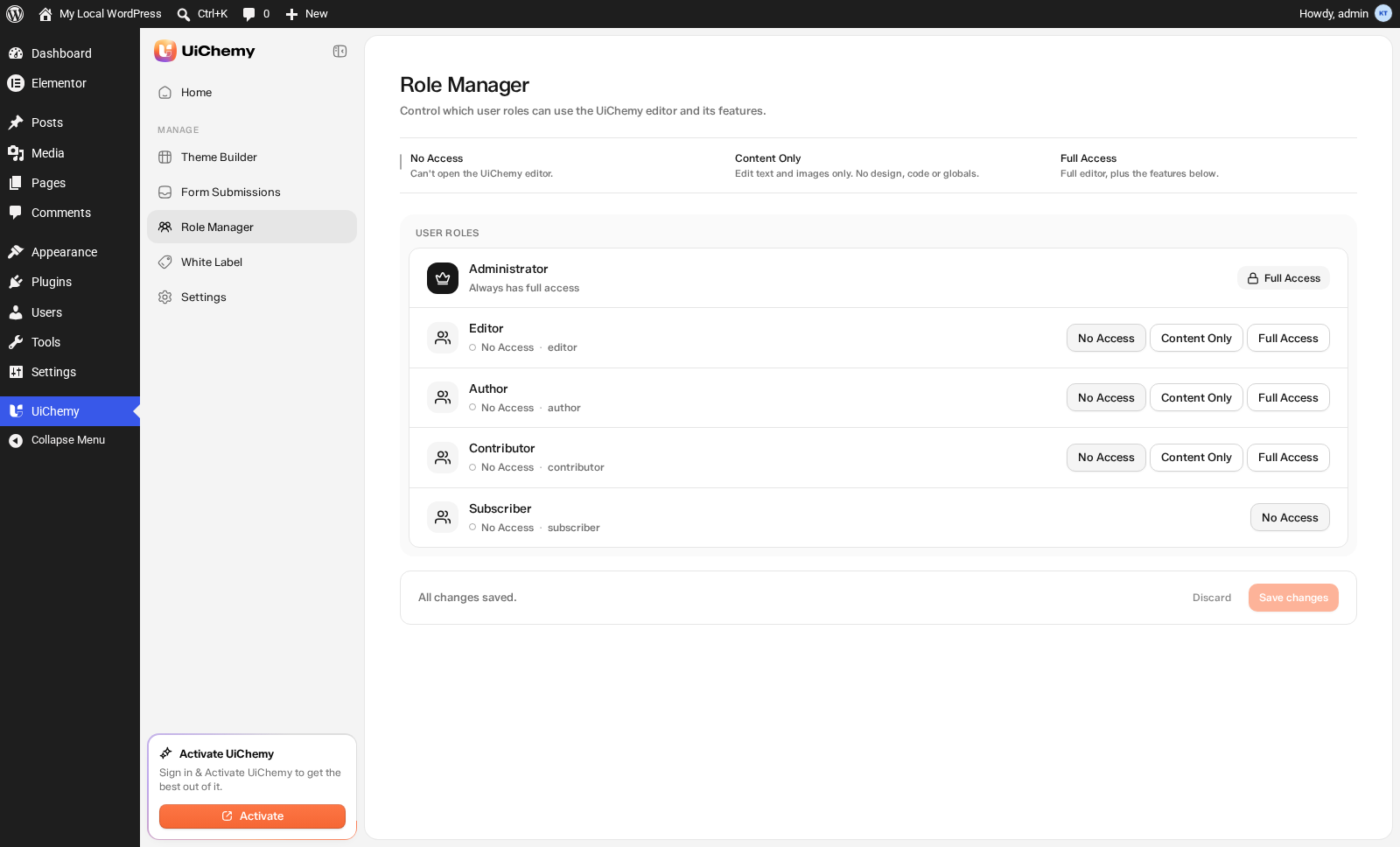
Role Manager: every WordPress role, with its access level
Access Level
Every role has four access level options, displayed as buttons on the right of its row. Click one to apply it, the status under the role name updates immediately:
Custom Access Options
When you set a role to Custom, extra options appear in its row. Use them to pick exactly what the role can reach.
Feature toggles. Each one starts Off until you turn it on.
Editing modes. Choose which Composer modes the role gets:
| Toggles on | What the role gets |
|---|---|
| Design only | Chat and Editor. No Code. |
| Developer only | Chat, Editor and Code. |
| Both | This role can switch between Design and Developer. |
| Neither | Follows the site-wide Editor mode setting. |
Every other access level, and Administrators, follow the site-wide Editor mode setting in General Settings. The mode toggles exist only on Custom roles.
Common Configurations
| Configuration | Access Level | Theme Builder | Design System | AI Chat |
|---|---|---|---|---|
| Content writer | Content Only | Off | Off | Off |
| Senior editor | Custom | On | Off | On |
| Page builder (no global access) | Custom | Off | Off | On |
| Site manager | Full Access | Always on | Always on | Always on |
- Content writer, a user who only updates text and images on existing pages.
- Senior editor, a trusted editor who builds pages and manages templates but shouldn't touch global CSS.
- Page builder (no global access), a designer who builds individual pages with AI but doesn't manage global templates or styles.
- Site manager, a fully trusted user who needs every feature.
Saving Changes
A bar at the bottom of the page tracks your edits. It reads "All changes saved." until you change something, then switches to "You have unsaved changes." with two options:
- Save changes, applies your edits.
- Discard, throws them away and restores the last saved state.
Changes apply immediately, users with that role don't need to log out and back in, the updated permissions take effect on their next page load.
Administrators always have full access to all UiChemy features regardless of Role Manager settings. The Administrator role is listed for reference with a locked Full access badge, and can't be restricted.