

Test and Troubleshoot SMTP
Send a test email from UiChemy, read what the messages mean, and fix form emails that do not arrive, another email plugin, or a Nexter Extension import.
Always send a test email after you set up SMTP. It uses the same path as every other site email, so if the test arrives, your form emails will too.
Send a Test Email
Save first
The test uses your saved settings. The row reads "Turn on SMTP and save first" until SMTP is on and saved, and "Save your changes first" while you have unsaved changes.
Enter your address
Under Test email, type the address to send to.
Click Send
The message arrives with the subject "SMTP test from [your site name]". Its body says it was sent through your SMTP settings in UiChemy and names the mailer: your host, or Gmail.
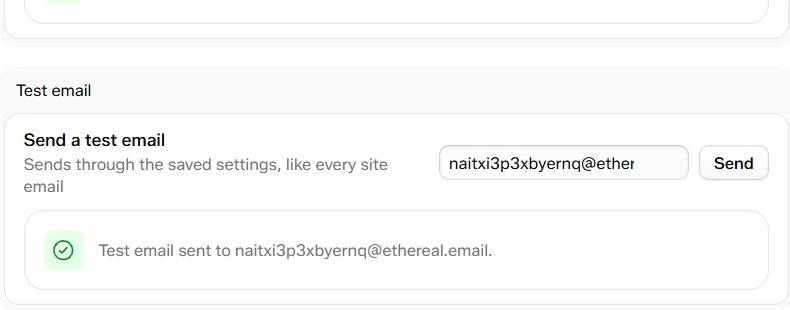
A successful test email
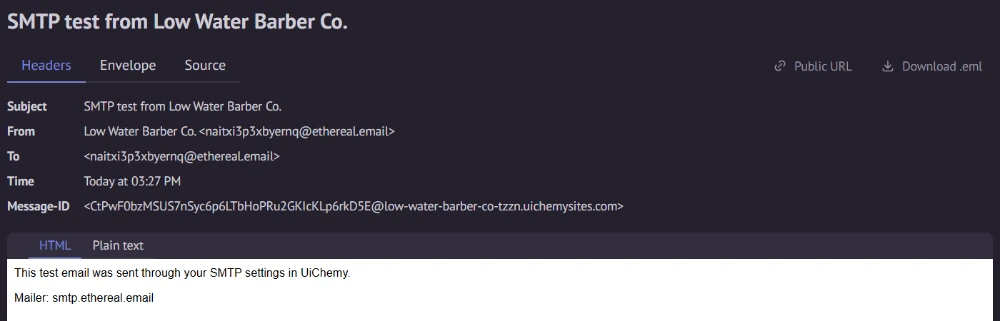
The message arrives with the subject "SMTP test from [site name]"
| Result | What it means |
|---|---|
| "Test email sent to [address]." | The server accepted the message. Check the inbox, and the spam folder. |
| "Enter a valid email address to send the test to." | The address is not valid. |
| "Turn on SMTP and save first." | SMTP is off, or not saved yet. |
| "The mail server did not accept the message." | The server refused it without saying why. Check the sender and the account. |
| "The server refused the username or password." | Check the login. Many providers need an app password. |
| "The server's security certificate could not be verified." | See Allow self-signed certificate in Set Up Custom SMTP. |
| "Could not reach the server. Check the host and port, and that your host allows outgoing SMTP." | Check the host and port. Some hosts block outgoing SMTP. |
Test connection on Custom SMTP only checks the login and sends nothing. Send sends a real email.
Form Emails Do Not Arrive
- Open UiChemy → Form Submissions. If the entry is there, the form works and the problem is email delivery.
- Check the form's Email a notification settings. Send to blank means the site admin email.
- Turn on SMTP, save, and send a test email.
- Look in the spam folder. Make sure From email is an address your provider allows.
See Create a Form for the form's email options.
If you build with an AI assistant, it knows this. When you tell it form emails do not arrive, it points you to UiChemy → Settings → SMTP and the test email instead of changing the form.
Another Email Plugin Is Active
WordPress lets one plugin replace its mail function. If another plugin has, such as FluentSMTP or Post SMTP, it may send without the settings here. UiChemy then shows a warning at the top of the SMTP screen:
[Plugin name] also handles email sending
It says that plugin decides how email is sent and the settings here may not be used. Use one email plugin only: turn off the other plugin's sending, or deactivate it.
Nexter Extension
If Nexter Extension is on the site and has SMTP settings, two things can show.
- Import from Nexter Extension. In the Email sending group, click Import to copy the SMTP settings Nexter already has. A message tells you what happened. Check the details, turn on SMTP, and send a test email. If some secrets could not be read, enter the password again, or reconnect Gmail.
- A warning. "Nexter Extension SMTP is also on" appears when both are on. While both are on, emails use the settings here. Turn SMTP off in Nexter Extension to avoid confusion.