

Turn On and Test Page Cache
Open Performance → Page cache, switch on Cache pages, read the status badge, run the test, and finish the one manual step if your server needs it.
Turning on Page Cache takes one switch. UiChemy checks your hosting, sets the cache up and tests your home page for you. This page walks through it, step by step.
Turn It On
Open Page cache
Go to UiChemy → Performance. In the menu on the left, under Cache, click Page cache.
Switch on Cache pages
Turn on Cache pages. The row says: "Turn it on and UiChemy checks your hosting, sets it up and tests your home page."
Wait a few seconds
The badge reads Turning on... and then Testing... while UiChemy writes its files and loads your home page. It takes a few seconds.
Read the result
The badge turns to On, and the Test cache row shows the result of the test.
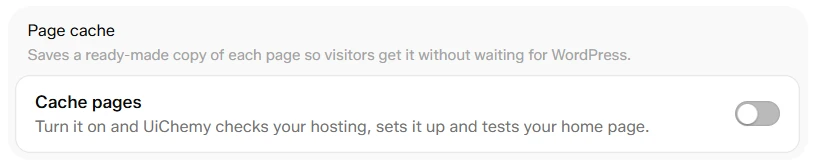
Before: Cache pages is off
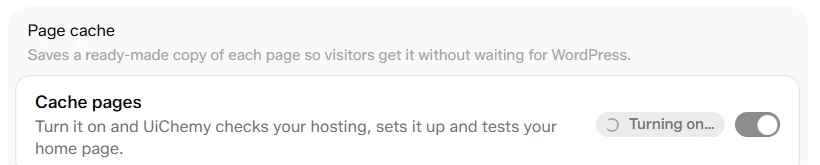
While UiChemy sets up the cache and tests your home page
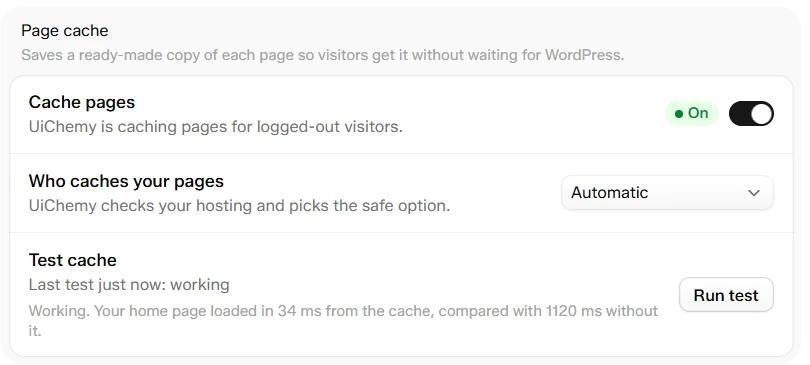
After: the badge reads On and the first test passed
There is no Save button. Every control on this screen saves the moment you change it.
What the Badge Means
| Badge | What it means |
|---|---|
| On | UiChemy is caching pages for logged-out visitors. |
| Handled by [host] | Your host already caches your pages, so UiChemy's cache stays off to avoid conflicts. UiChemy clears the host cache when you save a page, if your host allows it. |
| Handled by [plugin] | Another plugin is already caching pages. Turn off page caching in that plugin first to use UiChemy's cache. |
| Not available | The cache cannot run here, because the site is a multisite network or the cache folder is not writable. |
| One step left | UiChemy cannot edit wp-config.php on this server. Add the line shown on the screen to finish. |
| Off | Pages are built fresh for every visitor. |
The Test
The Test cache row has a Run test button. It loads your home page as a logged-out visitor, twice, and times both loads.
| Result | What it means |
|---|---|
| "Working. Your home page loaded in [x] ms from the cache, compared with [y] ms without it." | The cache works. |
| "Working. [host] served your home page from its cache." | Your host's cache is doing the work. |
| "Your home page wasn't cached: [reason]." | The page was skipped. The message says why and what to do. See Troubleshoot Page Cache. |
| "UiChemy couldn't visit your own site to run the test..." | A firewall or a password-protected staging site blocks the test. The cache may still work. Check it in a private browser window. |
| "The test didn't finish. Try again..." | Run it again. If it fails twice, use Ask AI to check the details. |
The One Manual Step
On some servers UiChemy cannot edit wp-config.php itself. The badge then reads One step left and a box titled One manual step appears.
Copy the line
Click Copy the line. It is define( 'WP_CACHE', true ); // Added for UiChemy page cache.
Add it to wp-config.php
Paste it above the line that says "That's all, stop editing!".
Check again
Click Check again on the screen.
Turn It Off
Turn Cache pages off. UiChemy stops serving saved pages and removes its file and the line it added to wp-config.php. Pages are built fresh for every visitor again.