

Page Cache Overview
Page Cache saves a ready-made copy of each page so visitors get it without waiting for WordPress. One switch in UiChemy → Performance → Page cache turns it on, tests it and keeps it safe.
Page Cache saves a ready-made copy of each page on your site. When a visitor opens a page, they get the saved copy straight away instead of waiting for WordPress to build the page from scratch. It is part of the free UiChemy plugin and arrived in UiChemy 5.7.0.
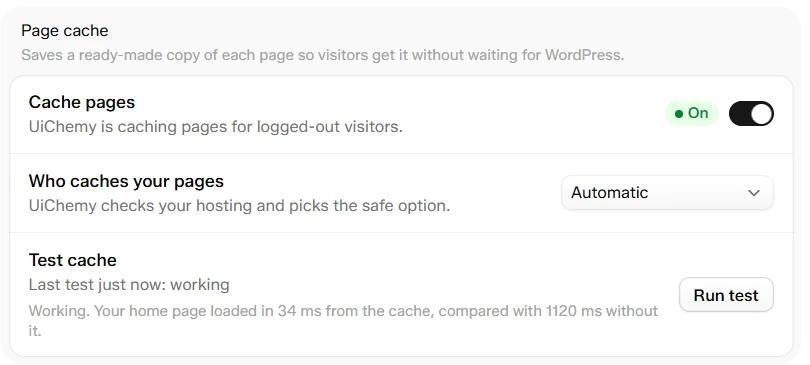
Performance → Page cache, switched on and tested
At a Glance
| Item | Details |
|---|---|
| Where | UiChemy → Performance → Page cache, under the Cache group |
| Added in | UiChemy 5.7.0 |
| Default | Off. You turn it on with one switch |
| Who gets the saved copy | Logged-out visitors only. Logged-in users never get a cached page |
| Saving | Every control saves at once. There is no Save button on this screen |
| Where copies are kept | The wp-content/uichemy/cache folder, up to 500 MB. The oldest pages are removed first |
| Pro extras | Preload pages and clearing Cloudflare with UiChemy |
| Not available on | WordPress multisite networks |
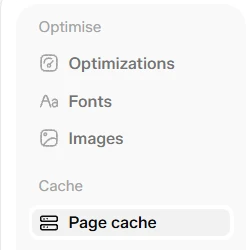
Performance has two groups in its menu: Optimise and Cache
Why It Matters
- Faster pages. In our own test, the home page loaded in 34 ms from the cache, compared with 1120 ms without it. Your numbers depend on your site and your host.
- Less load on your server. A saved page does not need PHP or the database, so busy moments are easier for your host.
- Safe by default. Logged-in users, carts, checkouts, login pages and plugin pages that must stay fresh are handled for you.
- It checks itself. UiChemy tests your home page when you turn it on, and you can test any page later.
Use Cases
- A brochure or landing page site: turn the cache on once and every page is served from a saved copy.
- A client site on a basic host: get the speed of a cache plugin without installing another plugin.
- A site on managed hosting such as Kinsta or WP Engine: leave Who caches your pages on Automatic. UiChemy sees that your host already caches pages and stays out of the way.
How It Works
- A visitor opens a page for the first time. WordPress builds it, UiChemy saves a copy, and the visitor gets the page. This is a miss.
- The next visitor gets the saved copy without WordPress building anything. This is a hit.
- When you change content, UiChemy clears the saved copy of that page and the pages related to it, so the next visitor gets the new version. See Clear and Exclude Pages.
- Saved copies also refresh by themselves every 2, 6 or 10 hours.
Turning the cache on writes a small file called advanced-cache.php into wp-content and adds one line to wp-config.php. Turning it off removes them again.
Free and Pro
| Feature | Free | Pro |
|---|---|---|
| Page cache with automatic safety rules | Yes | Yes |
| Host and cache plugin detection | Yes | Yes |
| Usage chart, test and clear tools | Yes | Yes |
| Preload pages (rebuilds cleared pages in the background) | Tag shown, switch locked | Yes |
| Clear Cloudflare when UiChemy clears a page | Tag shown | Yes |
Frequently Asked Questions
Next Steps
Was this page helpful?