

Antigravity to WordPress: Complete Process with Demo Prompt
A copy-ready Antigravity prompt to build an immersive tree plantation website with WebGL and GSAP, then bring it into WordPress with UiChemy.
Tree Plantation Journey Prompt
This prompt tells Antigravity to build "Root & Reach", an immersive, interactive website about the journey of tree plantation, from seed germination to a thriving canopy ecosystem. It combines a 3D WebGL hero, scroll-driven storytelling with GSAP, Lenis smooth scrolling, and an eco-futurist dark theme. Once the site is built, you can bring it into WordPress with UiChemy.
Watch the Video
Prefer to watch first? This video shows a 3D website built with Google Antigravity being brought into WordPress and edited with UiChemy.
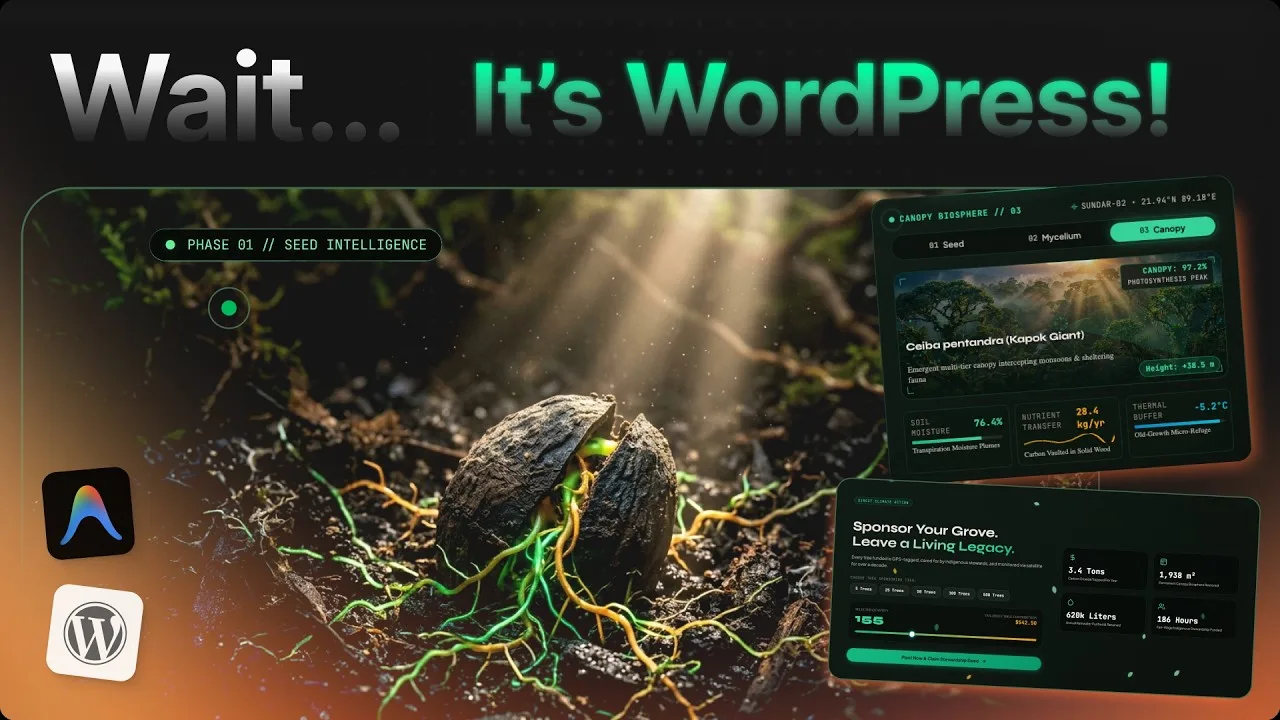
What You Get
The prompt asks for these sections:
| Section | What it covers |
|---|---|
| Navigation & Header | A sticky glassmorphic navbar, a live trees planted counter, and an ambient nature sound toggle |
| Hero | A full-screen WebGL canvas with a growing 3D tree, the headline "From a Single Seed, Entire Worlds Awaken.", and Plant Your Tree and Explore the Journey buttons |
| Why Trees Matter | A 4-column impact grid: Carbon Sequestration, Biodiversity Canopy, Soil & Hydrology Protection, Community & Clean Air |
| The Plantation Journey | A parallax sequence of 4 steps, from site assessment to satellite and drone monitoring |
| Global Impact Map | A 3D globe or vector map of reforestation hotspots with clickable metrics |
| Pledge Module | A calculator where visitors pick 5, 25, or 100 trees and see the CO₂ offset update instantly |
| Footer | A newsletter signup with a success animation, a carbon neutrality seal, and social links |
On top of these, the prompt sets the color palette and typography, scroll-driven camera phases (Seed, Sapling, Forest Ecosystem), a magnetic custom cursor, mobile fallbacks, 60 FPS performance, reduced-motion support, and the tech stack (HTML5, Tailwind CSS, GSAP, Three.js, Lenis). It also asks Antigravity to package the finished site as a website.zip.
How to Use It
Copy the prompt
Click Copy Prompt at the top-right of the prompt below.
Run it in Antigravity
Paste it into Antigravity and let it build and preview the site. It works in other AI coding tools that can create files too, such as Claude, Cursor, or Codex.
Bring it into WordPress
Connect Antigravity to your site over UiChemy MCP, then send the Import in WordPress prompt below. See Antigravity to WordPress for the connection steps.
Example prompt: After the site is built, ask: "Connect to my WordPress over the UiChemy MCP and, using UiChemy Composer, move the Root & Reach website in: recreate it section by section; put the header and footer into the Theme Builder; keep colors, typography and spacing as global styles; import native and editable in Elementor, Gutenberg, or Bricks. When done, list the pages you created."
The Prompt
Tree Plantation Journey

Role & Objective:
Act as an award-winning Creative Technologist and Lead Web Developer. Build a hyper-immersive, interactive website titled "Root & Reach" that chronicles the journey of tree plantation, from seed germination to thriving canopy ecosystems, while emphasizing ecological awareness.

---

### 1. Visual Style & Aesthetic Direction

* Theme: Modern Eco-Futurism, Organic Elegance, and Cinematic Depth.
* Color Palette:
  * Dominant: Deep Obsidian Green (#0A120D), Forest Charcoal (#121A15).
  * Accents: Vibrant Emerald (#10B981), Glowing Moss (#34D399), Soft Warm Amber (#F59E0B), Organic Sand (#ECE7E1).
* Typography:
  * Display / Headlines: Elegant Serif (e.g., Cinzel, Syne, or Playfair Display).
  * Body / UI: Clean Geometric Sans-Serif (e.g., Plus Jakarta Sans or Inter).
* UI Style: Glassmorphism, subtle grainy/noise textures, fluid micro-interactions, and dark mode by default with glowing bioluminescent highlights.

---

### 2. Tech Stack & Libraries

* Framework: HTML5, Modern CSS (Tailwind CSS or CSS Modules), and clean, modular Vanilla JS or React/Three.js integration.
* Animation Engine: GSAP (GreenSock) with the ScrollTrigger, Flip, and Observer plugins.
* 3D / WebGL Engine: Three.js (or @react-three/fiber) with custom GLSL shaders.
* Smooth Scroll: Lenis for butter-smooth momentum scrolling, integrated with GSAP ScrollTrigger.

---

### 3. WebGL & GSAP Interactive Features

1. 3D Interactive Hero Canvas (WebGL/Three.js):
   * A procedural 3D tree or seed particle visualizer that grows and responds to cursor movement and scroll depth.
   * A custom fragment shader that adds atmospheric fog, floating light spores/pollen, and depth-of-field post-processing.

2. Scroll-Driven Storytelling Timeline:
   * As the user scrolls, GSAP ScrollTrigger moves the 3D camera along a spline path:
     * Phase 1 (The Seed): An underground micro view with rich brown tones and bioluminescent roots spreading.
     * Phase 2 (The Sapling): Breaking through the soil surface into sunlight.
     * Phase 3 (The Forest Ecosystem): A full canopy view with dynamic lighting that shifts from morning light to twilight.

3. Cursor Effects & Physics:
   * A custom magnetic liquid cursor that distorts slightly over interactive buttons and leaves subtle particle trails.

---

### 4. Page Structure & Key Sections

#### A. Navigation & Header:
* Minimalist sticky navbar with a glassmorphic blur background.
* Live global plantation counter widget (e.g., "1,284,930 Trees Planted & Growing").
* Audio toggle for ambient nature soundscapes (subtle rustling leaves and synthesized birdsong).

#### B. Landing / Hero Section:
* Headline: "From a Single Seed, Entire Worlds Awaken."
* Subheadline: "Track, participate in, and explore the lifecycle of reforesting our planet through interactive canvas storytelling."
* CTA Buttons:
  * Primary: "Plant Your Tree" (glow effect on hover).
  * Secondary: "Explore the Journey" (smooth-scroll anchor down the page).
* Background: Full-screen responsive WebGL canvas.

#### C. "Why Trees Matter" (Interactive Impact Grid):
* A dynamic 4-column grid powered by GSAP hover animations, highlighting:
  1. Carbon Sequestration (interactive slider showing the CO₂ absorbed per tree per year).
  2. Biodiversity Canopy (hovering over a card reveals hidden species silhouettes).
  3. Soil & Hydrology Protection (animated WebGL water flow lines preventing erosion).
  4. Community & Clean Air (real-time air quality index visualizer).

#### D. The Plantation Journey (Horizontal / Vertical Parallax Sequence):
* A step-by-step interactive breakdown of the plantation process:
  * Step 01: Site Assessment & Native Seed Selection.
  * Step 02: Nurturing & Nursery Growth.
  * Step 03: Community Planting Days.
  * Step 04: Satellite & Drone Monitoring for Long-Term Survival.

#### E. Interactive Global Impact Map:
* An interactive 3D WebGL globe or stylized vector map pinpointing current reforestation hotspots across South America, Central Africa, South Asia, and the Amazon Basin, with clickable metrics.

#### F. Call-to-Action & Donation/Pledge Module:
* An interactive calculator: the user selects how many trees to sponsor (e.g., 5, 25, 100), and the metrics update instantly (e.g., "Offsetting 2.5 Tons of CO₂ Annually").

#### G. Footer:
* A clean, modern footer with micro-animations, a newsletter signup with an interactive success animation, a carbon neutrality certification seal, and social links.

---

### 5. Design & Performance Guidelines

* Responsive Optimization: Provide fallback 2D canvas/CSS animations for mobile screens and devices with low GPU power.
* Smooth 60 FPS Performance: Use proper geometry instancing and texture compression for WebGL assets.
* Accessibility (a11y): Include prefers-reduced-motion fallbacks that disable extreme camera jumps for motion-sensitive users.

---

### 6. Final Delivery & Packaging

Once the whole website is generated, package everything into a website.zip file with the following structure:

project/
├── index.html (offline double-click version)
├── START-HERE.bat (launches a local server for the source version)
└── source/
    ├── index.html
    ├── css/style.css
    ├── js/script.js
    └── assets/ (images, videos, fonts, frames)
Import in WordPress Using UiChemy MCP
Once Antigravity has generated the website, bring it into WordPress with this second prompt. It works from any AI tool connected to your site over UiChemy MCP. If you haven't connected yet, see Set Up AI to WordPress first.
First, thoroughly analyze and understand the existing website code, including its structure, styling, layout hierarchy, typography, colors, spacing, responsive behavior, animations, interactions, and audio behavior.

Once you fully understand the code and how the original page works, start converting the landing page into WordPress using the UiChemy MCP.
Convert the page section by section, with each section created as an individual UiChemy Composer section. Preserve the original structure and styling as closely as possible while converting each section.

Ensure that the final WordPress page matches the original site in:

* Visual appearance
* Layout and spacing
* Typography and colors
* Images and media
* Animations and interactions
* Audio effects triggered by mouse movement, hover, clicks, or other user interactions
* Any interactive audio behavior present on the original website must also be preserved and brought into the WordPress version
* Responsive behavior
* Overall user experience

The goal is to reproduce the original website as accurately as possible while making every section editable through UiChemy Composer, including its interactive and audio experiences.