How to Update Your Payment Method?
Update your payment method on the Posimyth Store, for both PayPal and credit card (Stripe) purchases.
Keeping your payment method up to date on your Posimyth Store account ensures continuous, secure transactions, so your products renew properly and you keep receiving updates and support.
If your card has expired, or you want to add a different one, you can update your payment method. How you do this depends on whether you paid with PayPal or a credit card (Stripe).
Did You Purchase Using PayPal?
If you paid via PayPal, you can only change your payment method from the PayPal dashboard, not within your Posimyth Store account.
Useful PayPal guides:
- Can I change the payment method for Pay Monthly payments?
- How do I update my debit or credit card on PayPal?
- What is an automatic payment and how do I update or cancel one?
You can also reach out to PayPal Support for further assistance, or contact our Helpdesk if you need help from our side.
Did You Purchase Using a Credit Card (Stripe)?
If you used a credit or debit card, you can update it directly in your Posimyth Store account:
- Log in to your Posimyth Store account.
- From your Dashboard, go to Manage Subscriptions.
- Locate your subscription plan and click Update Payment Method.
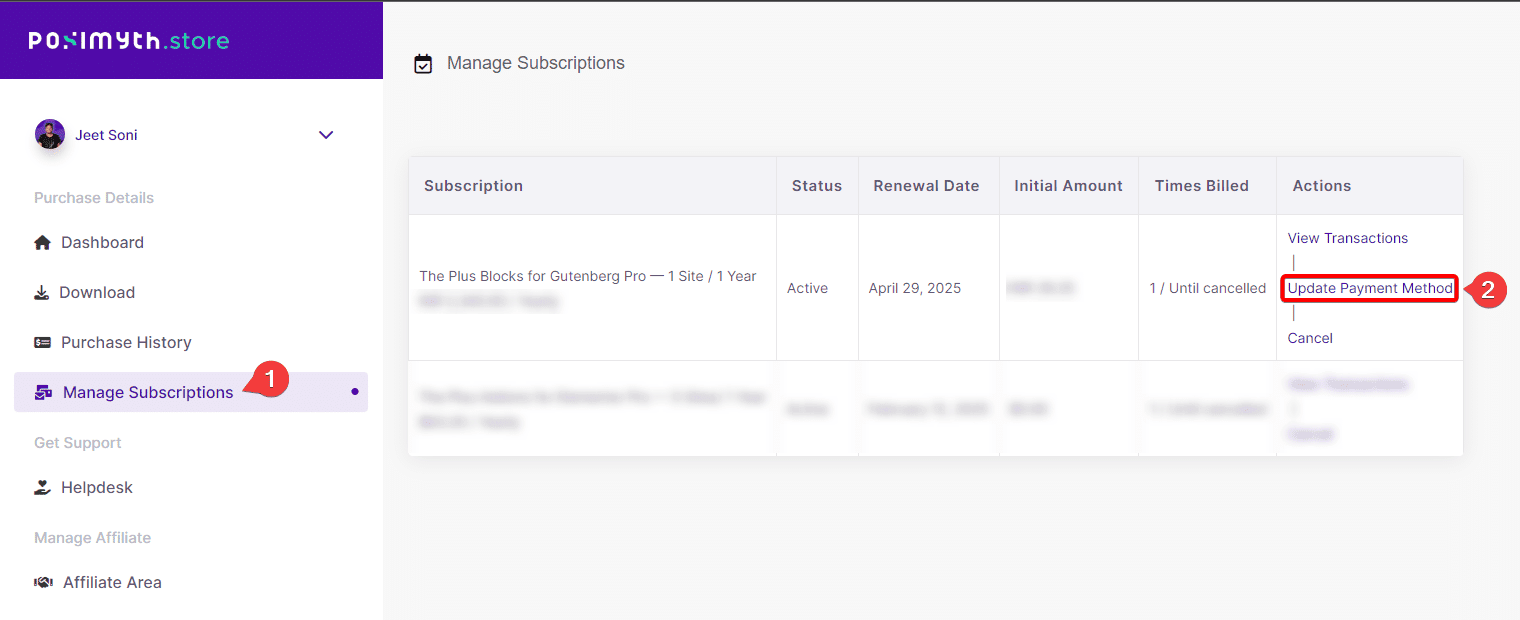
- Select Add New Card and enter your card details.
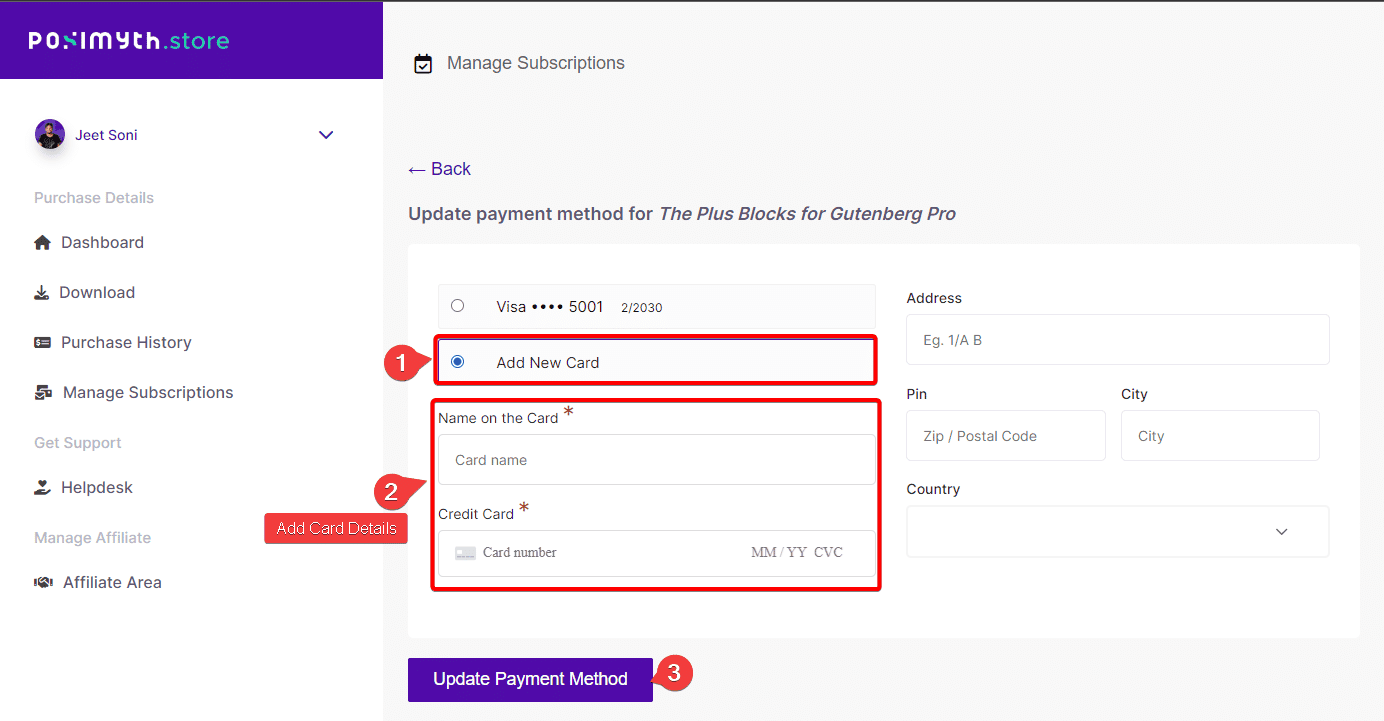
- Click Update Payment Method to save the change.
If you run into any issues updating your payment method, reach out to our support team, we're always here to help.
Frequently Asked Questions
What should I do if I can't update my payment method on PayPal?
Check that your PayPal account is active and that you have the right permissions. Refer to PayPal's support docs, or contact PayPal Support directly.
What happens if my credit card expires?
You'll need to update your payment method to avoid failed transactions, which can interrupt your updates and support from UiChemy.
Is there a specific order to follow when updating my payment method?
Log in to your Posimyth Store account, go to Manage Subscriptions, click Update Payment Method, then Add New Card and enter your details.
What if I want to switch from PayPal to a credit card?
Update your payment method directly in your Posimyth Store account, changes to PayPal itself must be managed through the PayPal dashboard.
How do I ensure my payment method is always up to date?
Regularly check your card's expiration date and update it in your Posimyth Store account as needed, to avoid service interruptions.