

What Data Does UiChemy Store For Smooth Conversion?
What data UiChemy stores from your Figma design, how long, and how to delete it manually.
To provide a smooth conversion from your Figma design to an Elementor or WordPress template, UiChemy has to store some data from your design.
What Data Is Stored
UiChemy stores all the images used in a Figma design that you select to convert, so when the template is imported, they're downloaded from the server.
UiChemy also stores all the SVG images used within the selected frame of your design, so they're downloaded from the server on import too.
How Long Is the Data Stored?
Each file is currently stored for about 10 days. After that, it's automatically deleted (based on when it was uploaded).
How to Manually Delete the Data
If you'd rather delete your data before the automatic 10-day window:
- Click the Hamburger icon in the UiChemy window in Figma, this opens Profile & Links with your account name and avatar.
- Click Clean Uploads.
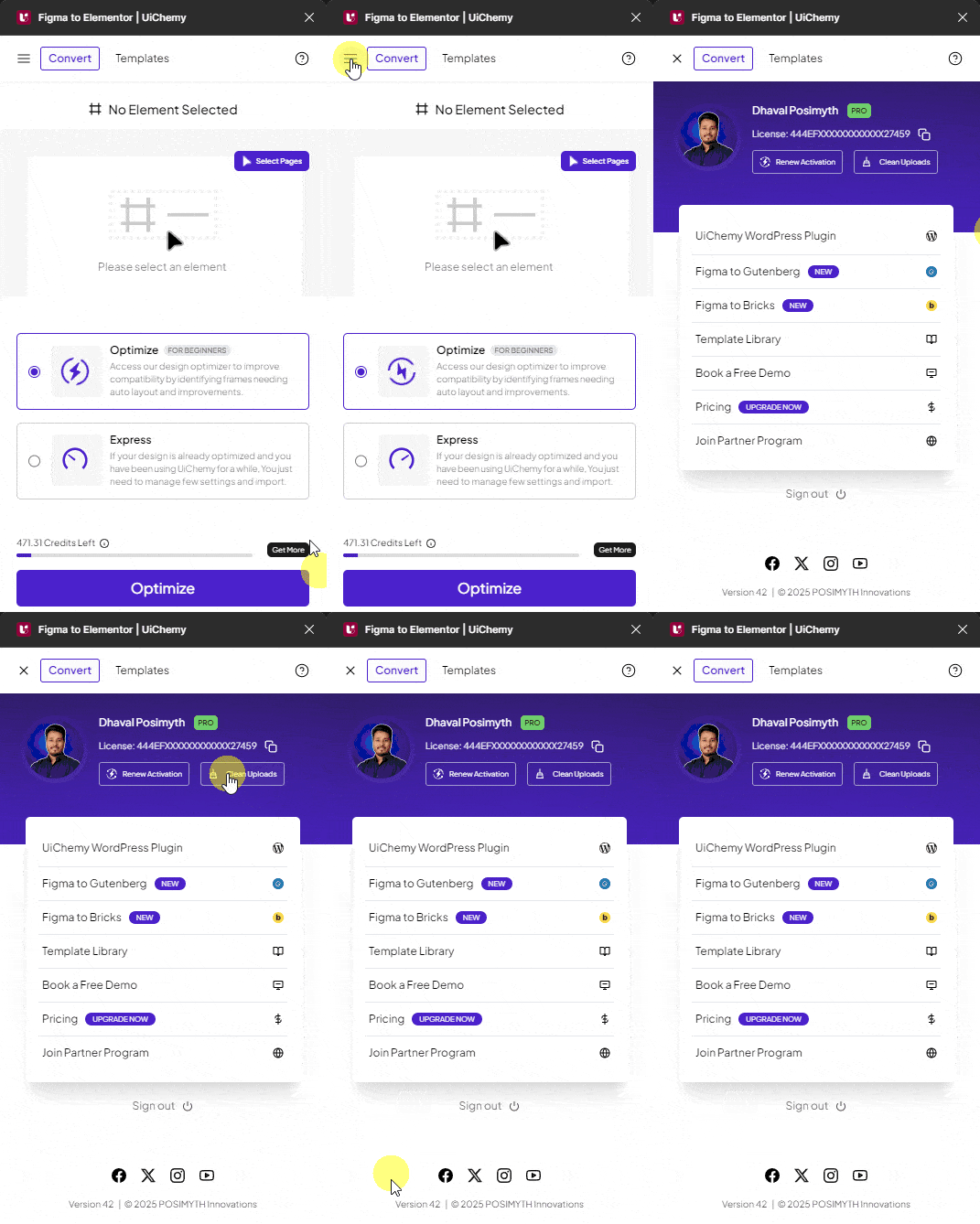
This deletes all your files uploaded to the server.