

Why Is My Imported Template Blank?
Fix a blank Elementor template after importing a UiChemy export, Flexbox container and MySQL packet size.
Sometimes when you import an Elementor template (large size) exported through UiChemy, it shows blank even though the JSON file has the data. This usually happens for one of two reasons.
Elementor Flexbox Container Not Enabled
One of the main causes of a blank template is that the Elementor Flexbox Container isn't enabled. UiChemy exports your Figma layout using Flexbox containers, if this option isn't enabled in Elementor settings, your template may show blank.
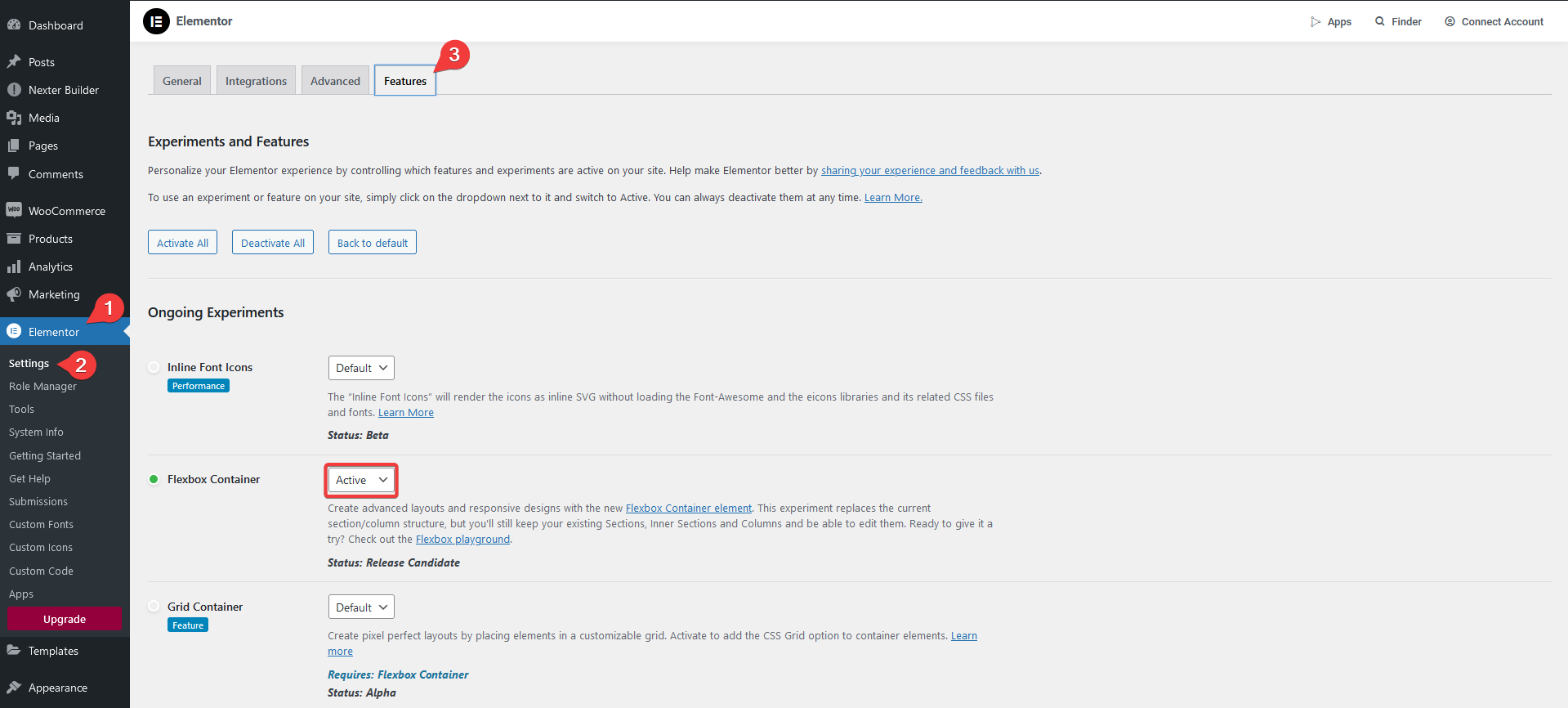
Solution: From the Dashboard, go to Elementor → Settings → Features, select Active from the Flexbox Container dropdown, and save.
Low MySQL max_allowed_packet Size
In MySQL, max_allowed_packet limits how much data can be sent to or received from the database in one go. If your data exceeds this limit, it won't work properly and may cause errors.
Setting max_allowed_packet to greater than 5MB is recommended. A lower limit can cause this issue, especially when importing a large template.
This usually shows up on local development setups. Here's how to increase it on the most common ones:
Wamp
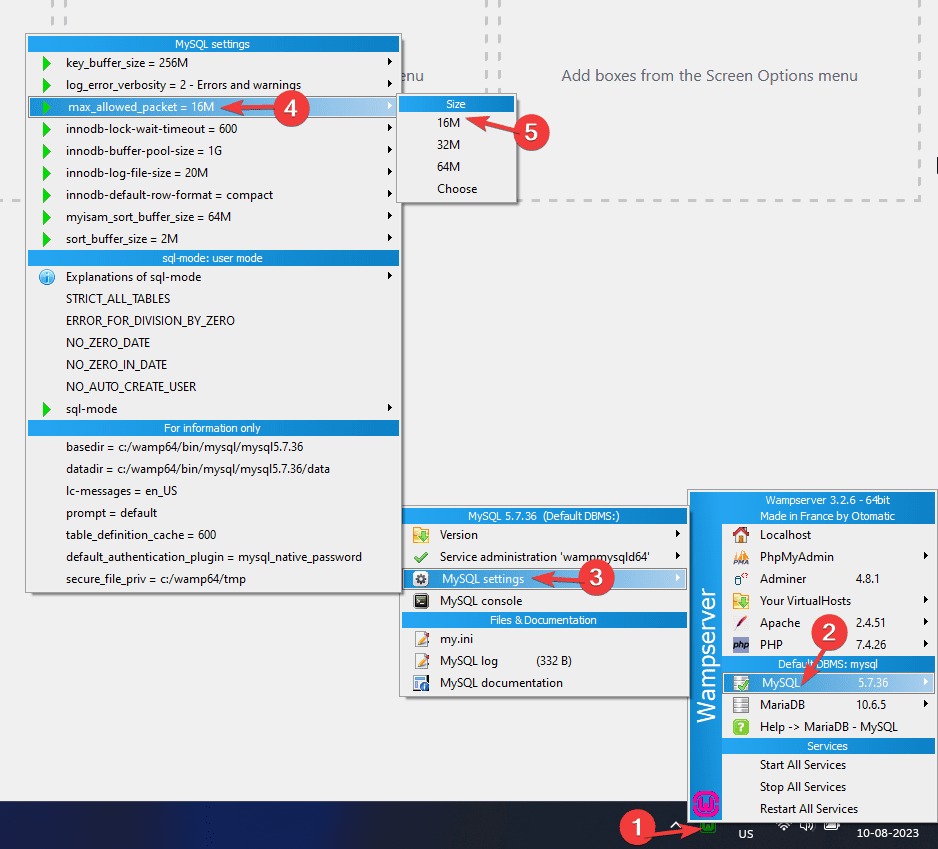
- Start the Wamp server.
- Click the Wamp icon in the taskbar.
- Go to MySQL → MySQL settings → max_allowed_packet and select the desired value.
- Restart MySQL for the change to take effect.
Xampp
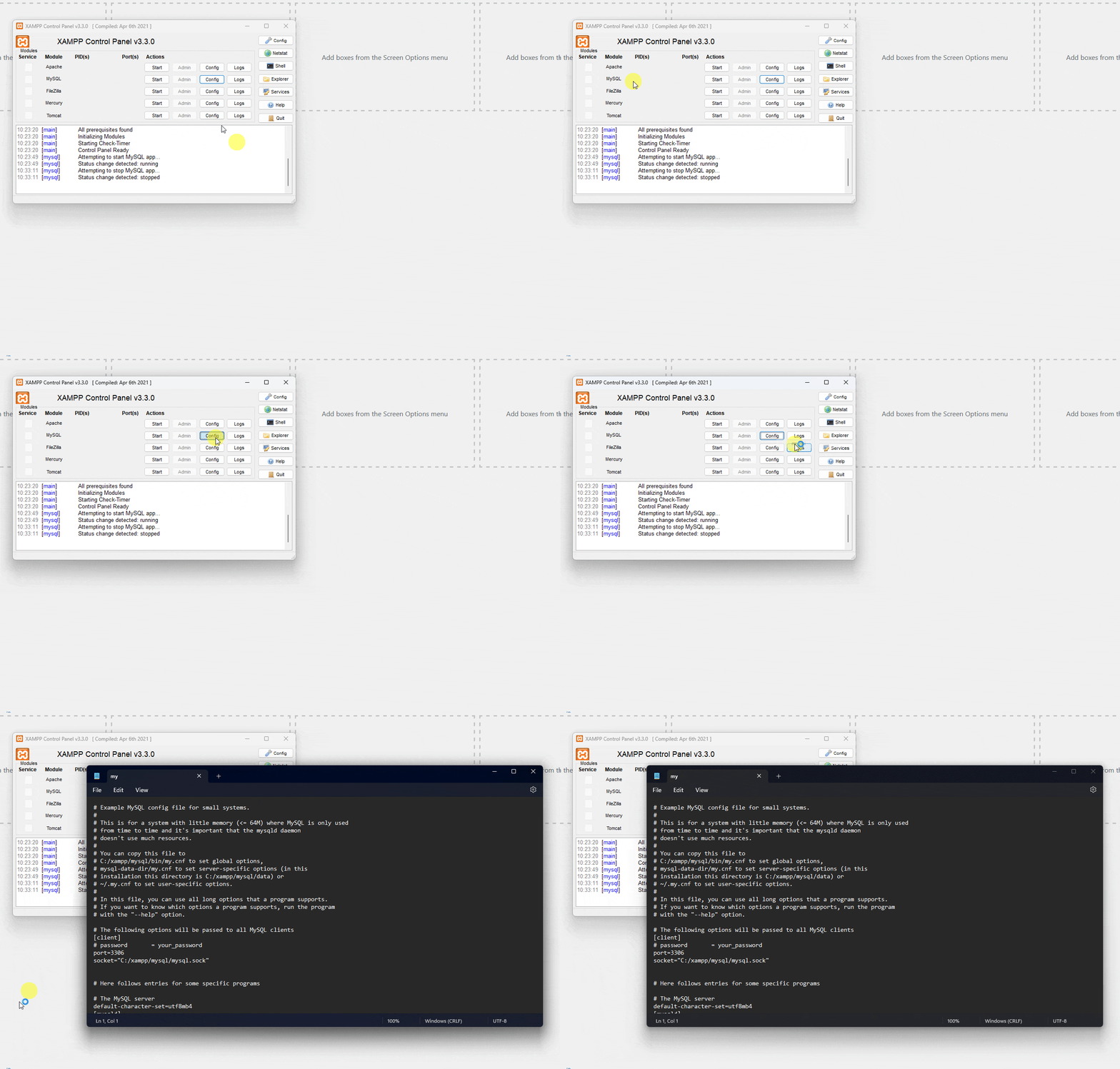
- Open the Xampp Control Panel.
- In the MySQL row, click Config → my.ini.
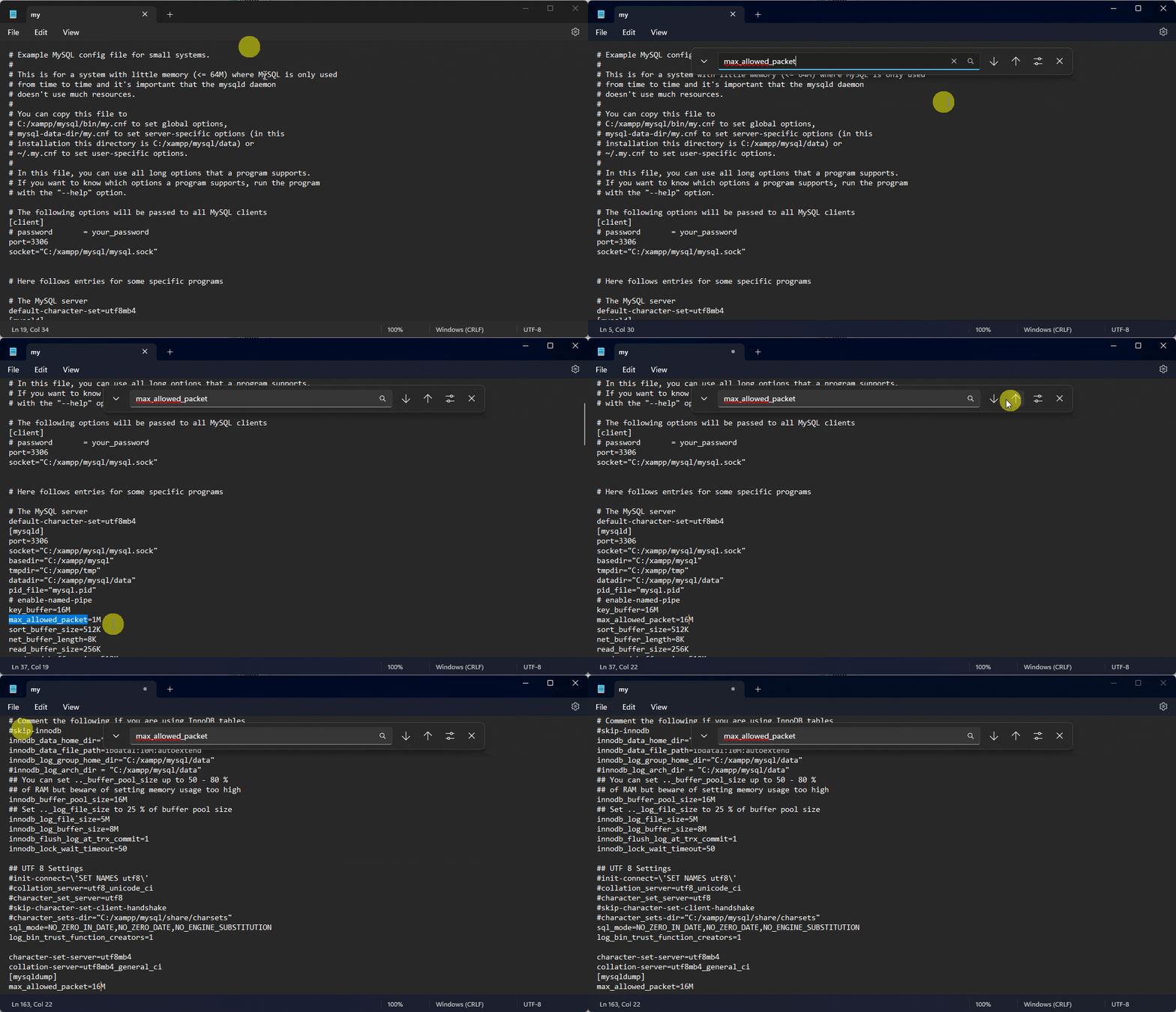
- Search for
max_allowed_packet, you'll find it in a couple of places. Update the value (use the same value for both instances) and save. - Restart MySQL for the change to take effect.
LocalWP
- Start the LocalWP app.
- Select the site from the left panel, and click Go to site folder.
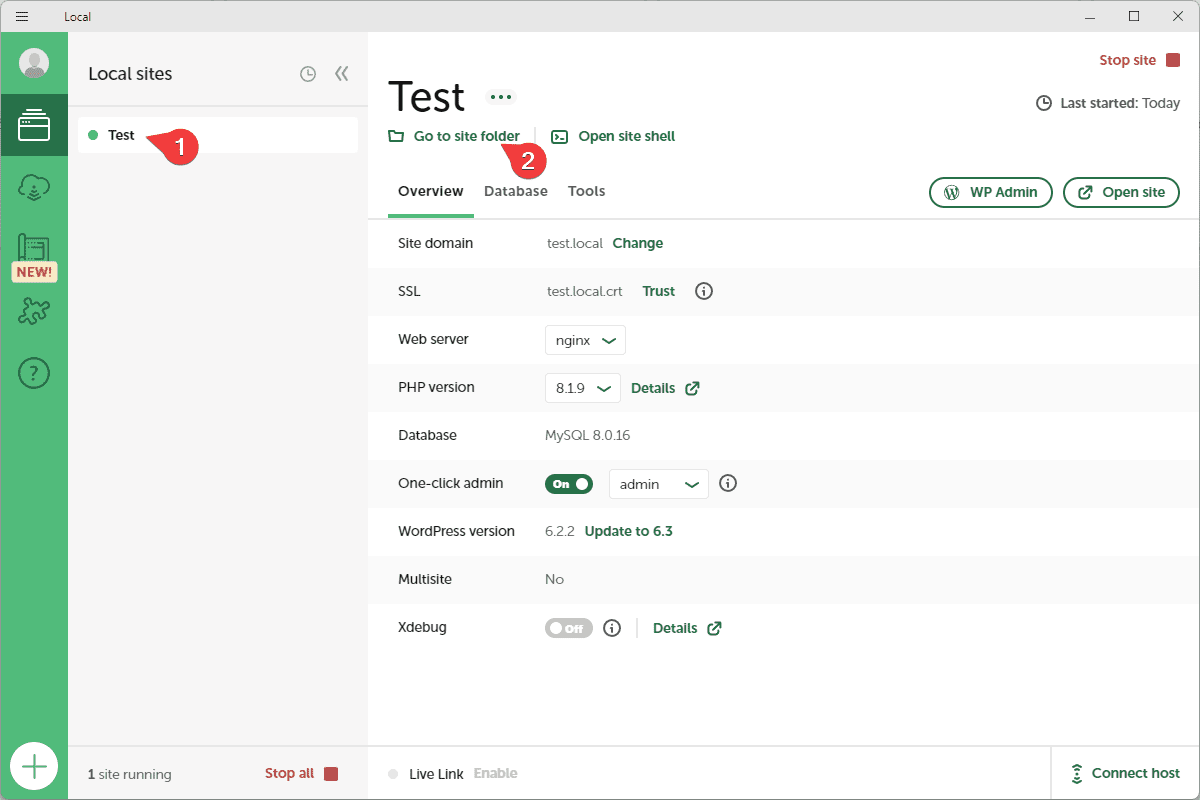
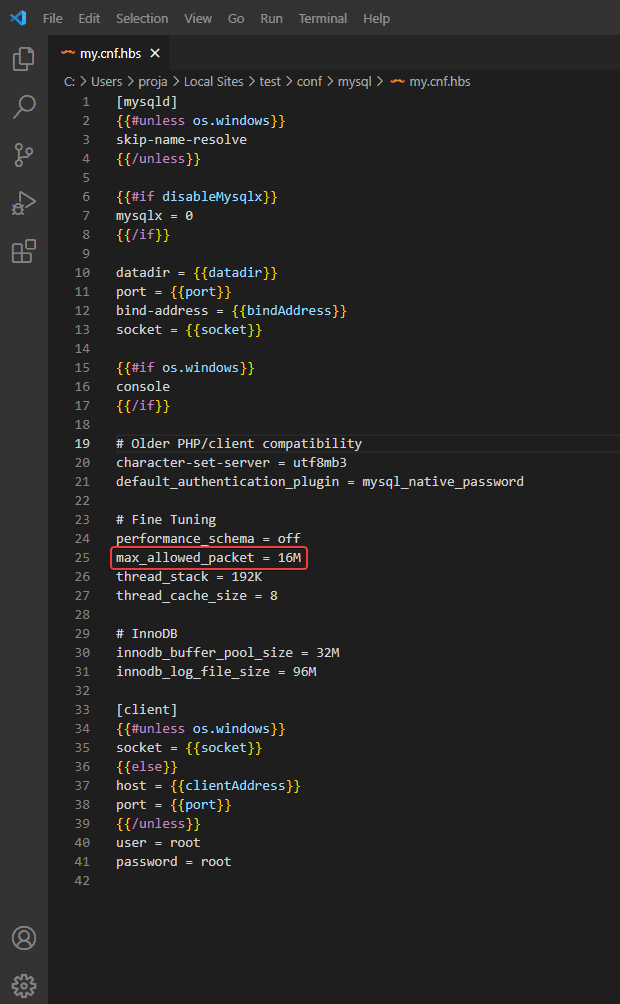
- Open conf → mysql, and edit the
my.cnffile, search formax_allowed_packetand update the value, then save.
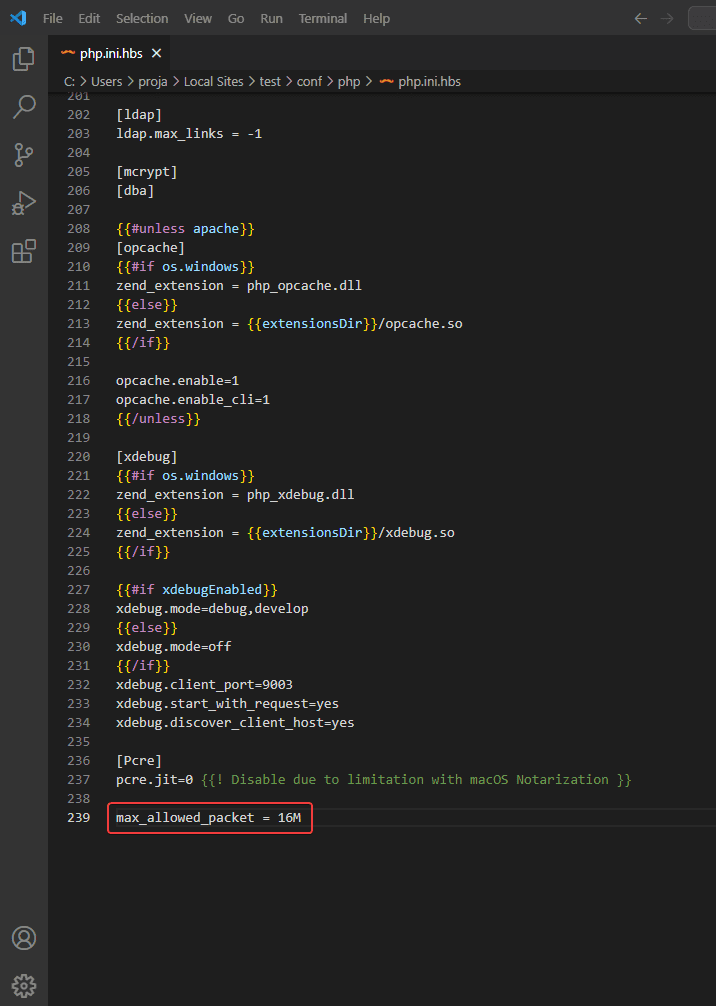
- Go back to conf → php, and add or update
max_allowed_packetinphp.ini, then save.
- Click Stop site, then Start site in LocalWP for the changes to take effect.
Live server
Most good web hosting has a sufficient max_allowed_packet value for importing decent-sized templates. If you're still hitting this issue on a live server, the best option is to contact your hosting provider and ask them to increase it.