

Why Are SVGs Missing in the Template?
Fix missing SVG images in an Elementor template imported from UiChemy.
Reason: When you import a template exported with UiChemy, SVG images might not show up. By default, WordPress and Elementor don't allow SVG file uploads for security reasons, if the SVG file upload option isn't enabled, SVG files won't upload from your template and will be missing from your design.
Solution: Enable the SVG file upload option in Elementor settings.
- From the Dashboard, go to Elementor → Settings → Advanced.
- Select Enable from the Enable Unfiltered File Uploads dropdown, and click Save Changes.
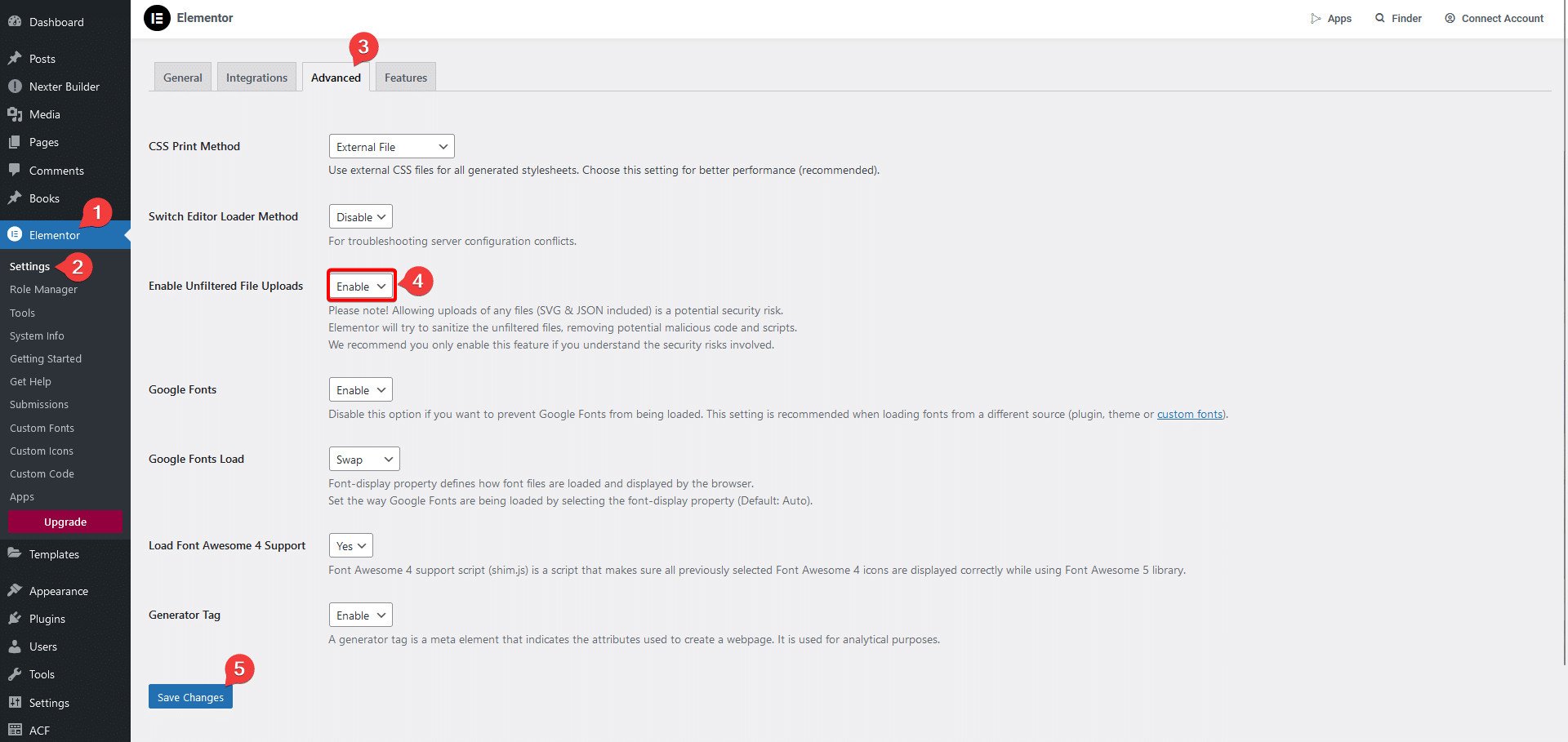
Now, when you upload a template containing SVG images, they'll appear correctly.
Frequently Asked Questions
Was this page helpful?