

Why are Icons Misaligned or Off Centered?
Fix misaligned icons and off-center SVG images after importing a UiChemy export into Elementor.
Icons Misaligned
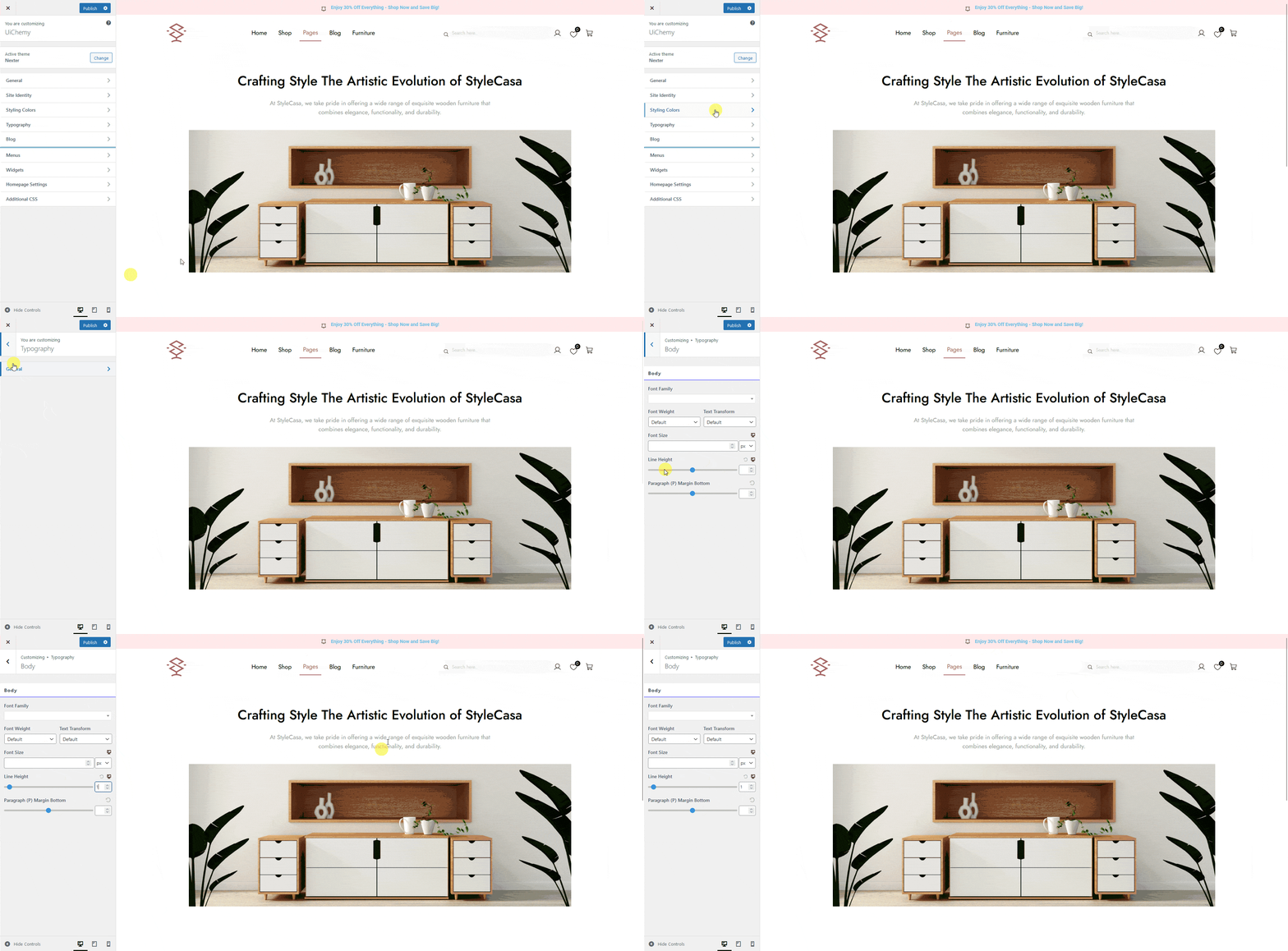
Reason: When you import a template in Elementor, some icons may show alignment issues, this happens because of the line height set at the body level of your theme.
Solution: Set the line height to 1 on the body in your theme. In the Nexter theme, go to Appearance → Customize → Typography → General → Body and set Line Height to 1.
![]()
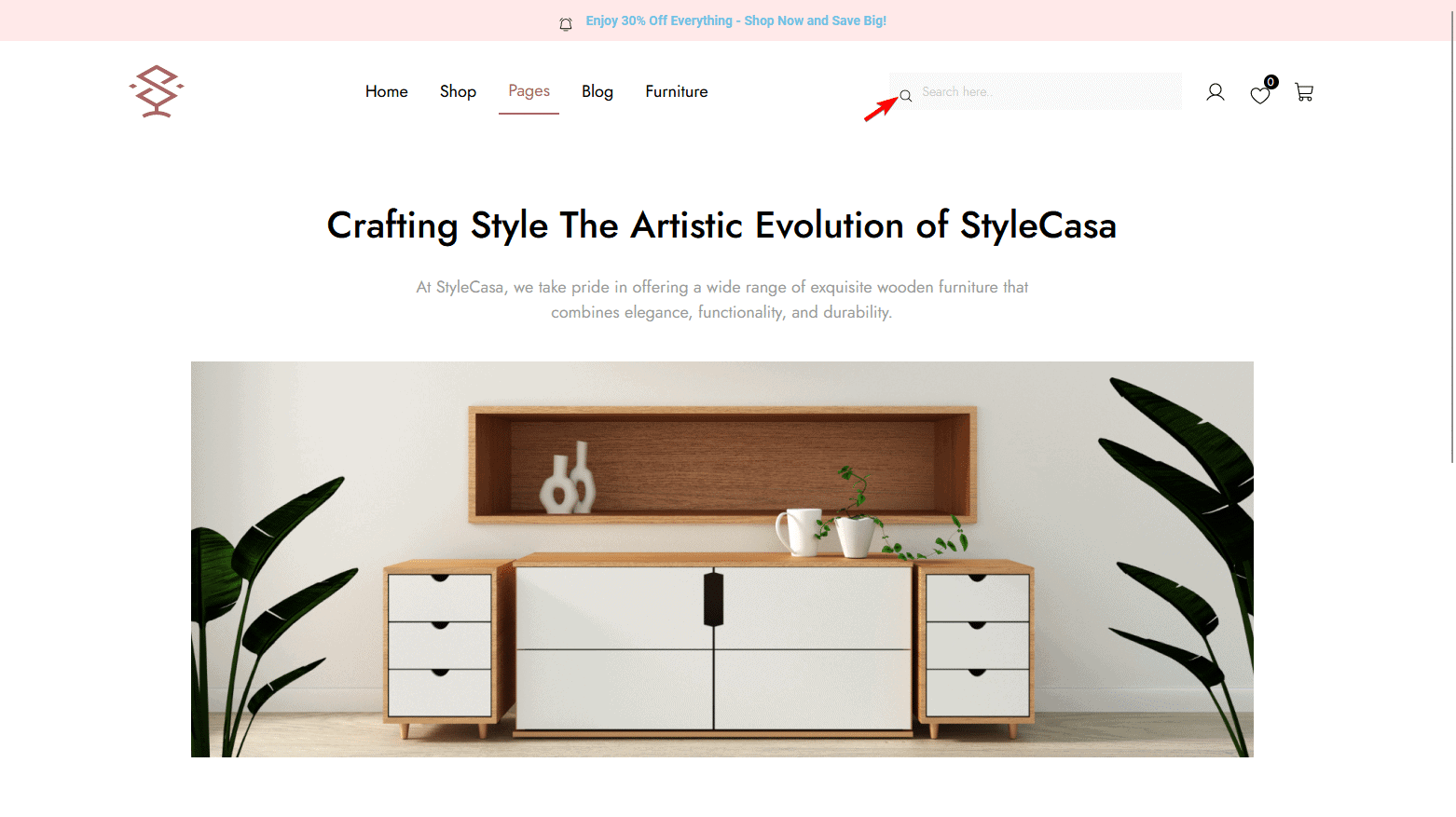
This resolves most icon alignment issues.
![]()
SVG Image Off Center
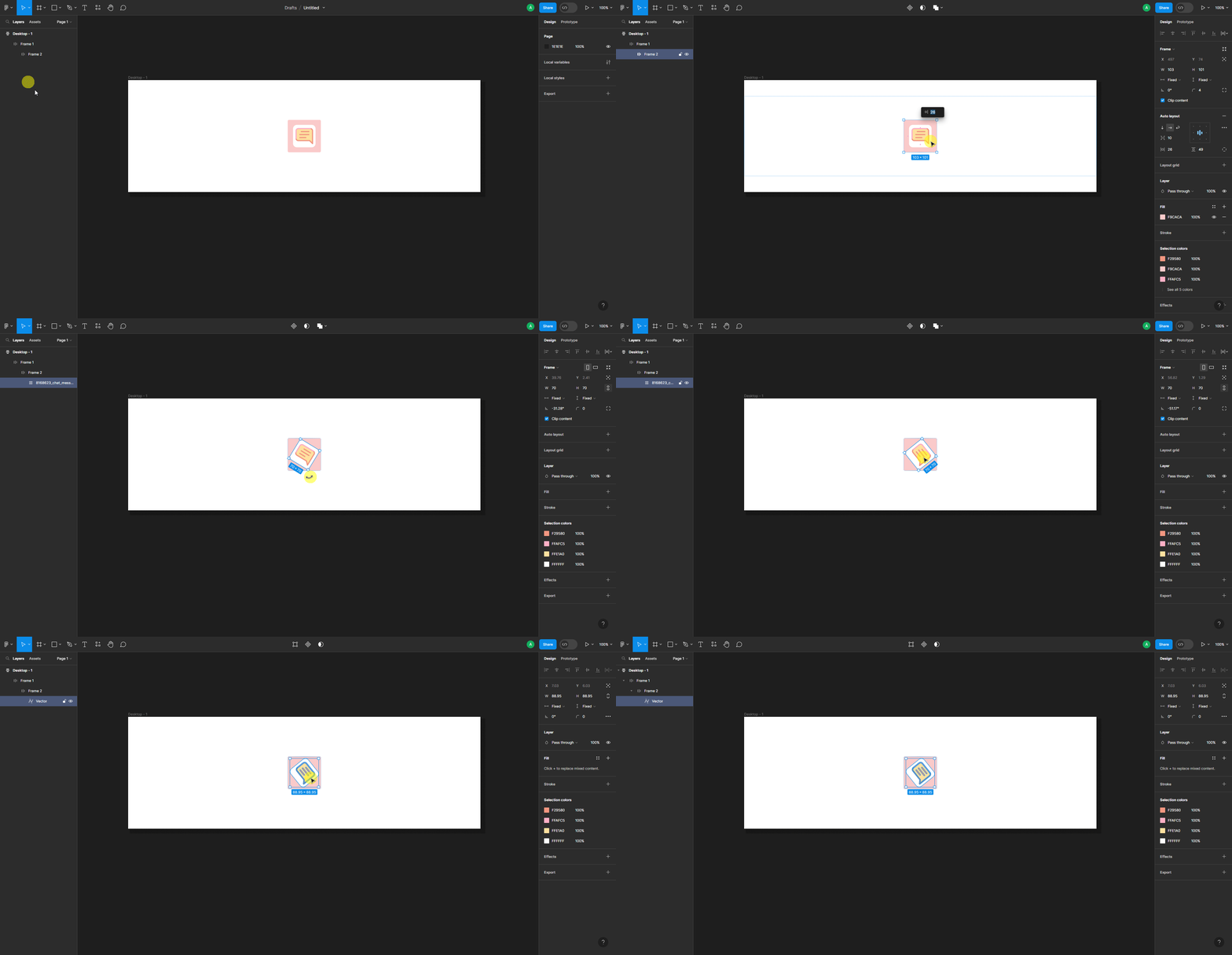
Reason: When you export a Figma layout with SVG images or icons using UiChemy, the SVG can sometimes appear off-center once imported into Elementor. This usually happens if you rotated the SVG in Figma, rotation shifts its bounding box slightly off-center in the exported template.
Solution: Flatten the SVG after rotating it in Figma, to reset its bounding box. Select the SVG, right-click, and choose Flatten (or press Ctrl + E).
![]()
Once flattened, the SVG stays in position when you export the template.
Frequently Asked Questions
Why are my icons misaligned in Elementor?
Usually because your theme's body line height isn't set to 1. Go to Appearance → Customize → Typography → General → Body and set Line Height to 1.
How do I fix off-centered SVG images after exporting from Figma?
This often comes from rotating the SVG in Figma. Select it, right-click, and choose Flatten (or press Ctrl + E), this resets the bounding box and keeps the image in position.
What common mistakes lead to icon misalignment in WordPress?
Not adjusting the body line height in theme settings is the most common one, many assume the default value will work.
What are the best practices for exporting icons from Figma to WordPress?
Set line height to 1 in your theme, and flatten any rotated SVGs before export, this keeps the final result clean and professional.
Does UiChemy guarantee perfect alignment of icons in WordPress?
Alignment accuracy also depends on your theme settings and how elements are handled in Figma, adjusting line height and flattening SVGs where needed helps maintain design integrity.