

How to Fix PHP Time Limit Issue?
Fix the PHP time limit (max_execution_time) error when importing large UiChemy templates into Elementor.
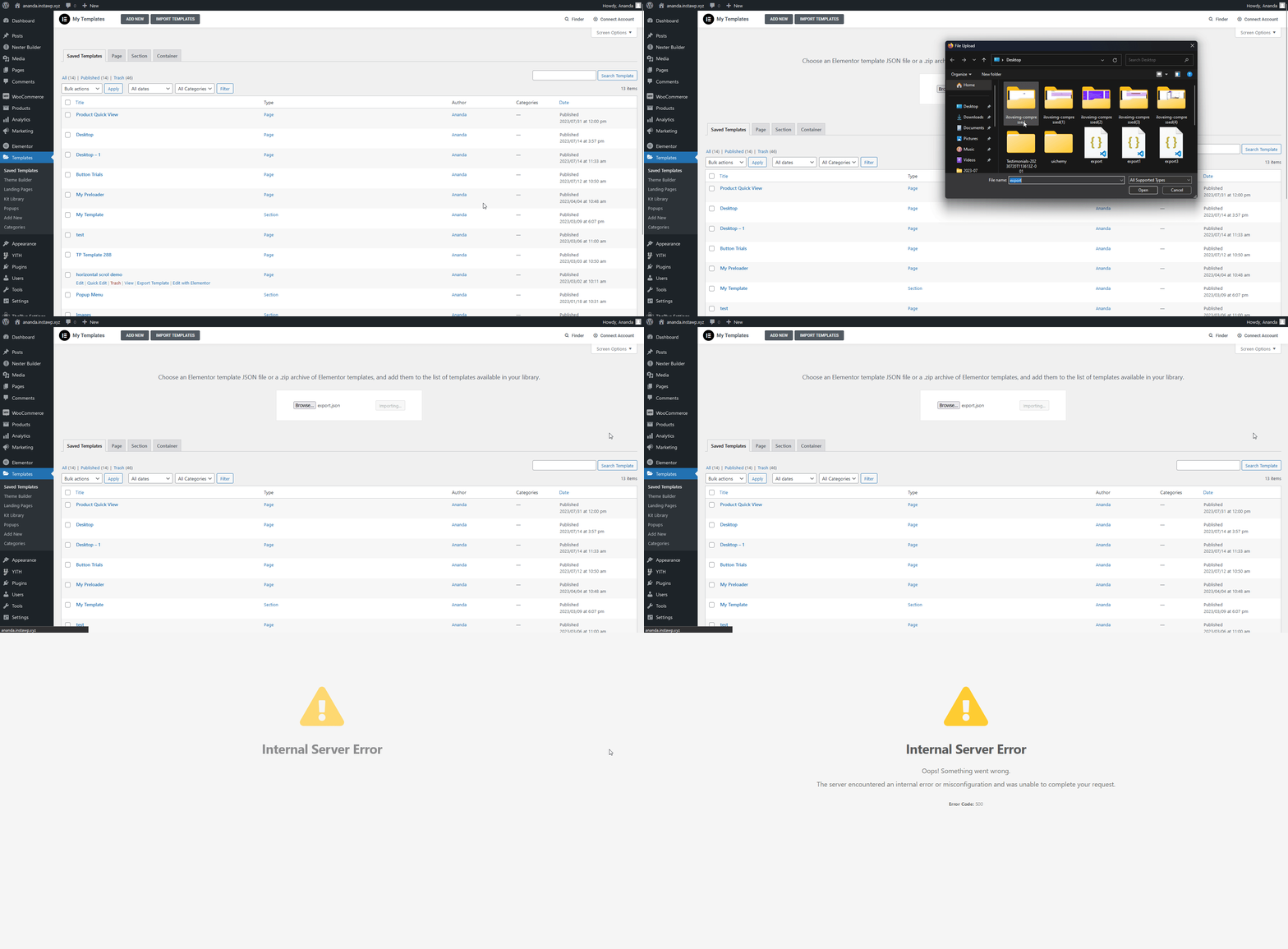
One common issue when importing a large or complex Figma design with large images into Elementor via UiChemy is the max_execution_time (PHP time limit) issue. The import takes a while and then shows an Internal Server Issue error.
Why Does This Happen?
When you convert your design in UiChemy, the images used in your Figma layout upload to the UiChemy cloud server. When you import the template, the time it takes depends on factors like image size, your network speed, and your server location.
By default, WordPress has a PHP time limit (max_execution_time) of 30 seconds, if your import takes longer, it times out and shows the error.
How to Check Your PHP Time Limit
- From the Dashboard, go to Tools → Site Health.
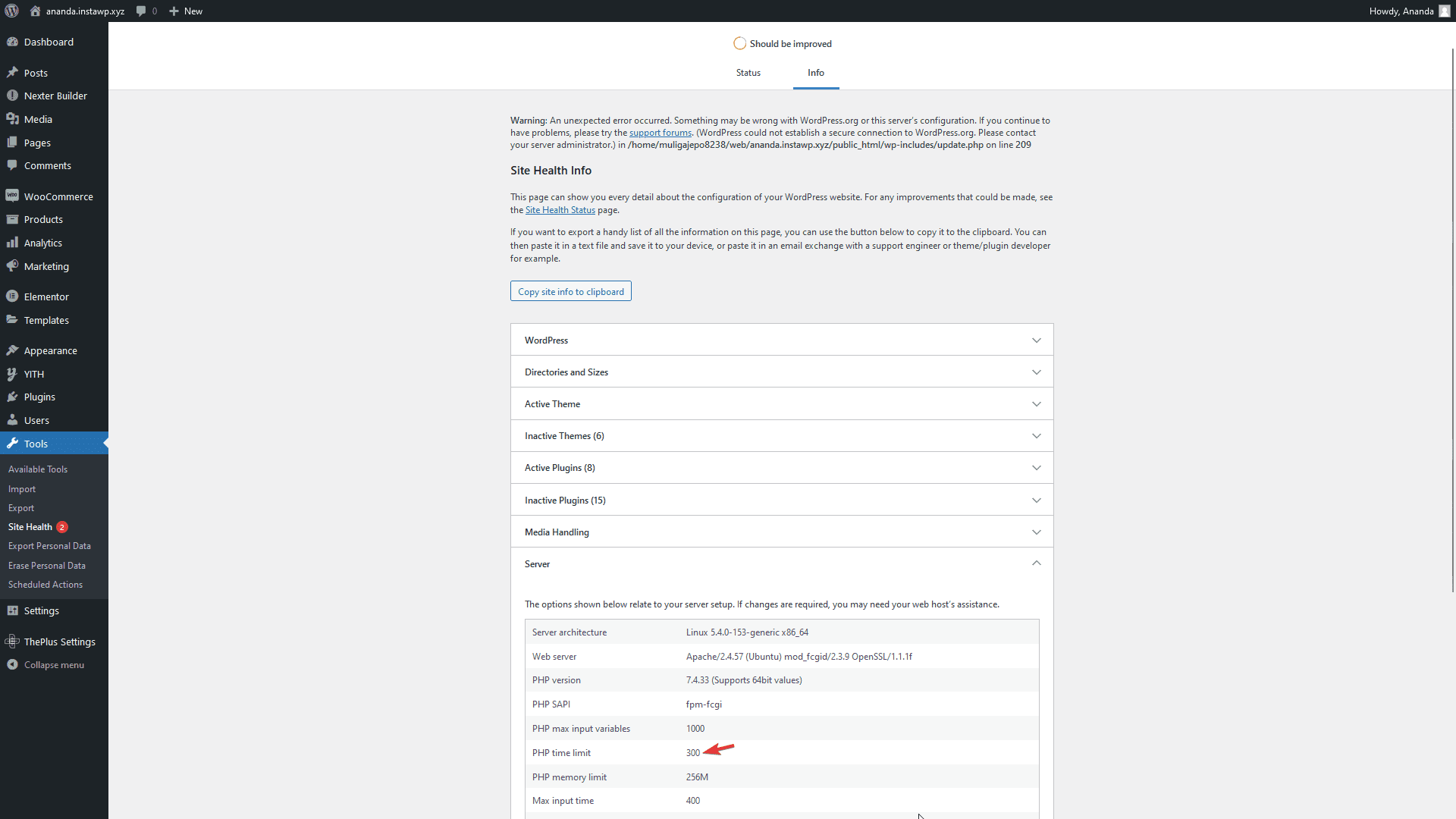
- Go to Info → Server, you'll see your current PHP time limit here.
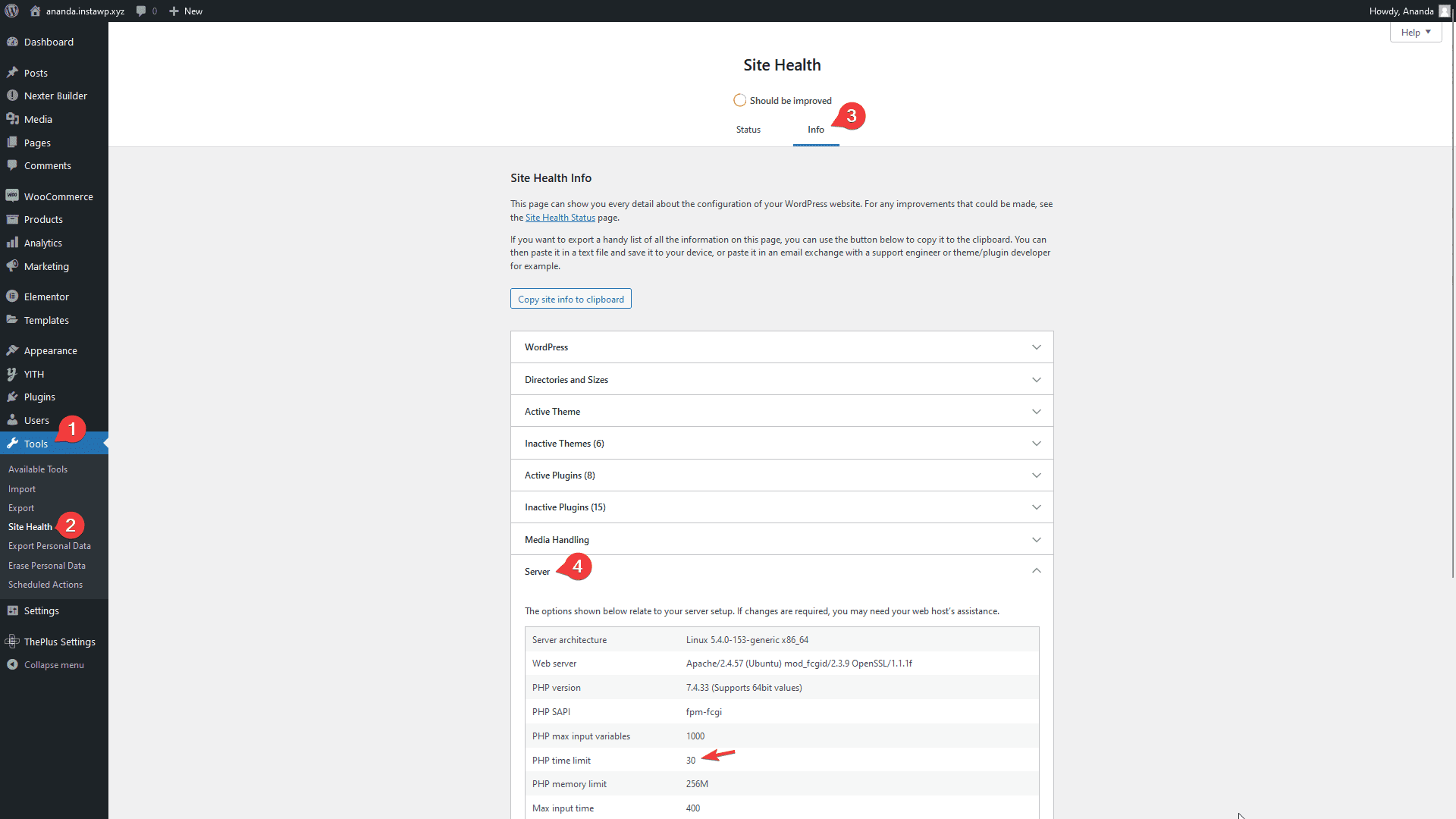
A PHP time limit of 300 seconds is recommended.
How to Increase the PHP Time Limit
Increasing the PHP time limit is a bit technical, and varies by host, your best option is to contact your host and ask them to increase it. If that's not possible, try one of these:
Using PHP.ini
Most small hosting providers don't give you access to php.ini, but if you have it, add:
max_execution_time = 300;
Using wp-config.php
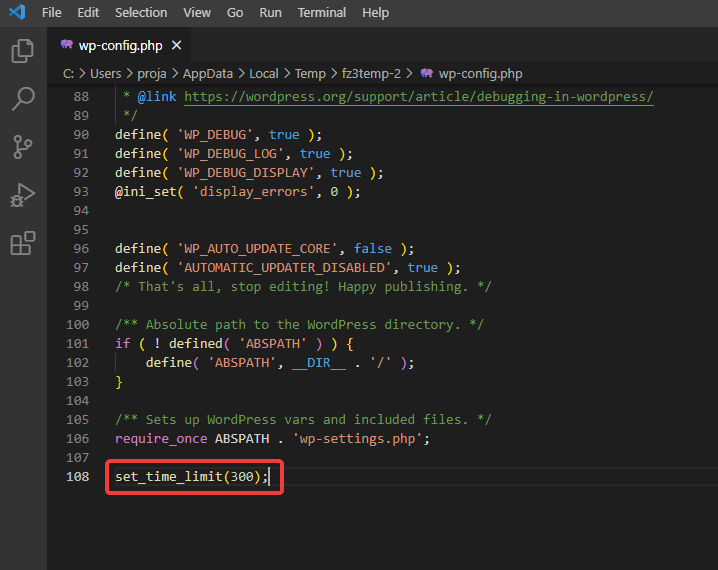
Go to your WordPress installation directory, edit wp-config.php, and add:
set_time_limit(300);
Using .htaccess
Open your .htaccess file and add:
php_value max_execution_time 300
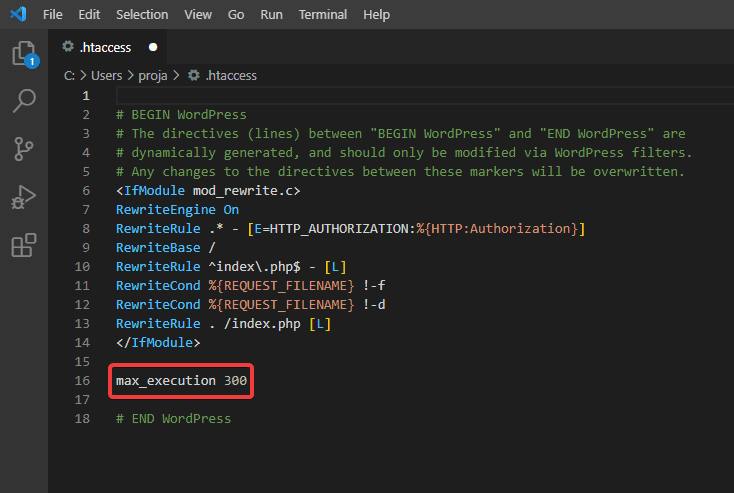
Be careful editing .htaccess, changes made without care can make your site inaccessible.
Once you've made the change, check the server info in Site Health again to confirm it took effect.
If you're using InstaWP, follow their guide to increase the PHP time limit.
To reduce the risk of hitting this issue in the first place, you can export your Figma template without images, or export with scaled images to reduce execution time.